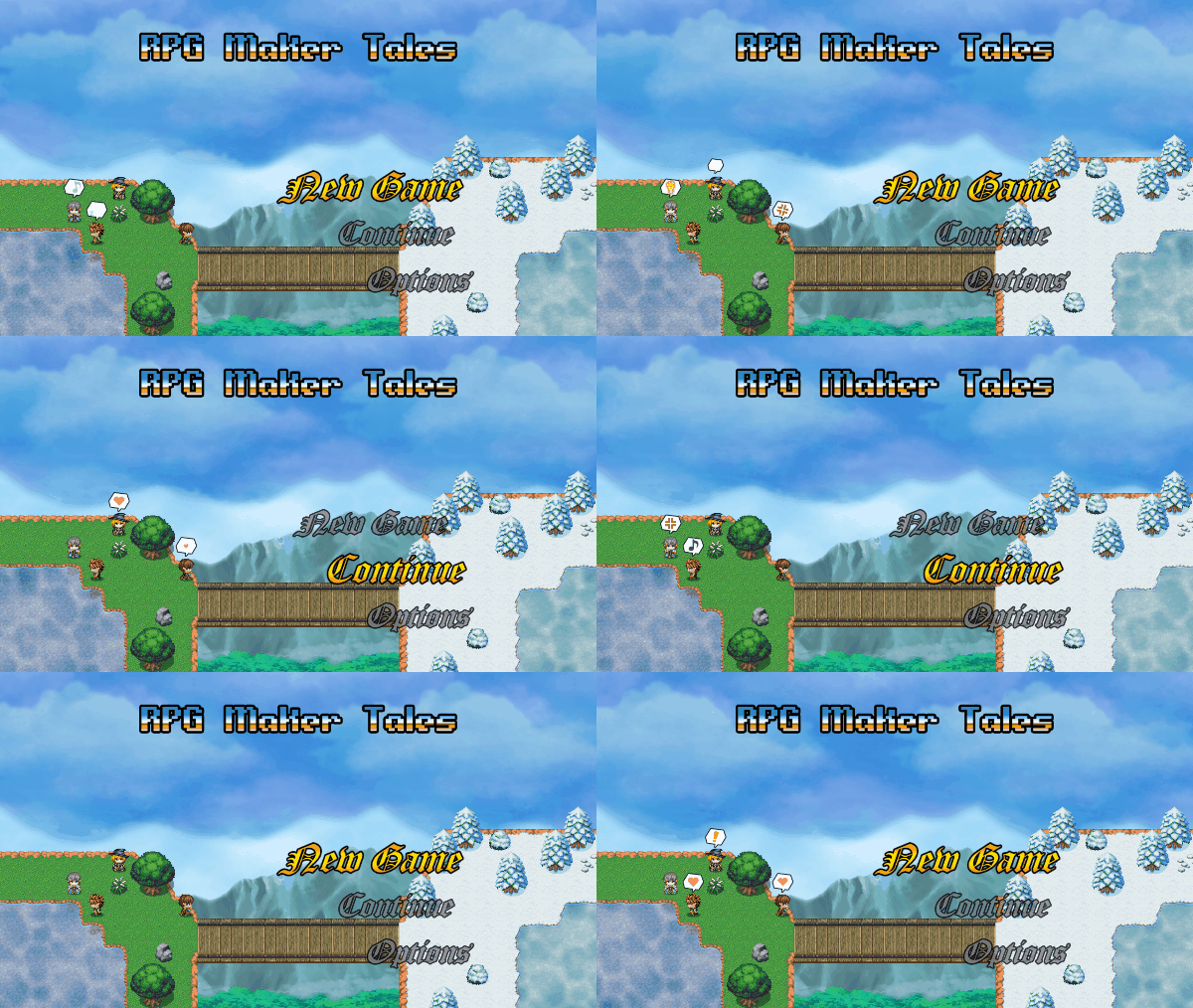
MZ Question, regarding Event Title Scene from VisuStella MZ

Hello everyone!

Apologies if this post is in the wrong section.

I recently purchased the Event Title Scene plugin from VisuStella for MZ, and I’m having trouble getting started. So far, I’ve managed to find the map ID and load that map, but I’m unsure how to add the other options (like Start, Continue, etc.). I know these need to be invoked, but I’m not quite sure how to set it up.

I’m fairly new to events or scripting, I apologise if I need a bit of extra help following along.

Thanks in advance for any tips or guidance!


Capture.PNG
I'm confused by your question - your screenshot shows you using the correct plugin commands (although it should be Autorun, not parallel).

Are you saying that event doesn't work? What's happening instead?

As a side suggestion, if you're new to events, I'd strongly suggest you shouldn't be messing around modifying your game with plugins yet. It will be helpful to make some small, practice games while following tutorials on how to do different things with events first.
I have a basic understanding of some concepts, but overall, I'm still quite new to working with events.

My question is about the project setup: when I launch the project, it goes directly to the map, but the menus (like "New Game," "Options," etc.) don’t appear. I don’t see any options to choose or interact with. How can I add these menus? Do I need to create each option as a PNG file, or is there another way? Also, I'd like to know how to make each option selectable.

Thanks!


That doesn't really answer my question.

Your first post shows a screenshot of an event that should be doing exactly what you're asking.

So, as I already asked you - if you're saying that event is in your game and on your title screen map but it's not showing up, then what is happening? What does the map look like and are there any other events on it?
I re-did the whole map and event, not sure what mistake I did, but it's working now.
Thank you for helping, I have one last question, I want my text to be like in VisuStella's image, how can I change that, currently it looks like this:

I want it to look more like this the text, without text boxes. And also being able to add a title too, like they have with "Rpg maker tales".


Capture4.PNG
the easiest way is probably to use an image program to make a title picture with whatever you want, and then use either show picture or the map background to show that picture.

Map background requires you to follow several rules about size while show picture can combine multiple pictures, but can be tricky in other ways
You can use Picture_Choices_VisuStella_MZ.

Show pictures, then link them to your choices
You can also event it.

I'll check each of the options, thank you for helping me!
I have another question related to the title menu, It's working and I am very happy with it, is it possible to make it so that, lets say at key points in my game, the title menu map will change to another one? If possible how can I achieve it.

Like for example lets say, when I reach chapter 2 the map changes from something A to Something B and it's like that whenever I load it up, but I am not sure how it would work out with saved games, especially you have to load them up and all manually..
You would have to look for a meta controls or new game plugin for MZ.

Incidentally, I'd suggest you correct your Primarily Uses in your profile. When someone's just reading your latest post, they're going to see MV and give answers based on that if they don't scroll all the way to the top of the thread to see it's about MZ.
https://forums.rpgmakerweb.com/inde...-title-scene-basic-setup.161324/#post-1382316

here is some guidance to setting up the title scene.

to change on condition, i would suggest have your saves trigger a global save, then the title map will check the save variable and jump maps as needed.

Original thread: https://forums.rpgmakerweb.com/threads/question-regarding-event-title-scene-from-visustella-mz.172943/