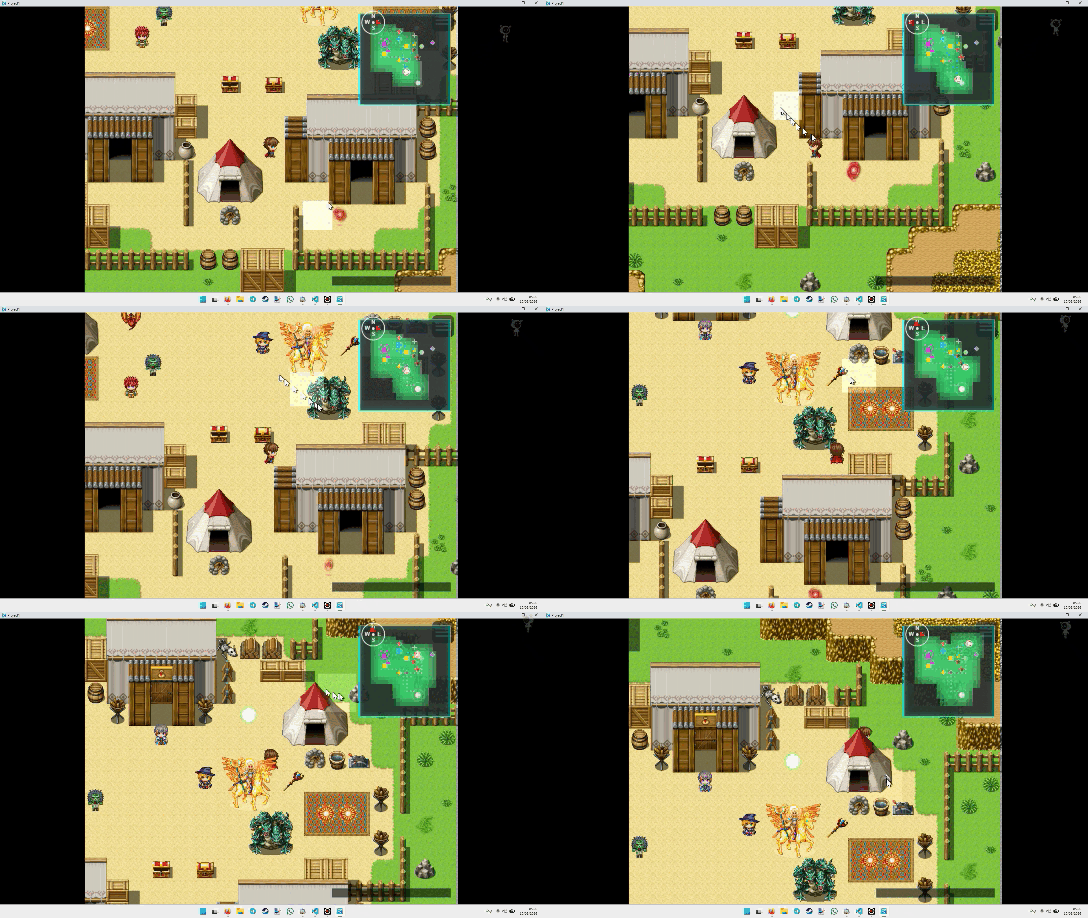
Fog of War Map

1778384488074.png


OLD MINIMAP
1778385973039.png
1778385984279.png
1778385998328.png
1778386002751.png

=====================================================================================================================


After months of work and bug fixes, I’m pleased to present the new version of Fog of War Minimap for RPG Maker MZ.
(Screenshot and gif are in original position, but you can move Minimap in 4 positions, don't worry)
Fully customizable via RPG Maker's Event system. We've made it compatible with the Quest system.

Spoiler
1778384740857.png
1778384745428.png

1778384831237.png
1778384835351.png

1778384841108.png
1778384846314.png


1778384740857.png
1778384745428.png

3 Shape Type
Spoiler
1778385050666.png
1778385058001.png
1778385062936.png

What about Border?
Spoiler
1778385109515.png

Do you wanna see the difference?
• Simple:
Spoiler
1778385248524.png

• Double

Spoiler
1778385325331.png

• Glow (I love this one)
1778385411426.png


1778385607084.png

── NEW FEATURES v9.0 ────────────────────────────────────────────────────────

FULLSCREEN MAP Hold M (or configurable key) to expand the minimap

to fullscreen with a smooth animation.

Press again to return to normal size.


IMAGE ICONS Use custom PNG images for icons:

<img:fileName> → loads img/pictures/minimap/fileName.png

Automatic sizing, integrated cache.


SOFT FOG The fog dissolves softly at the edges instead of

pixel‑hard clipping. Activable from parameters.


RADIUS OVERLAY Tag <radius:5:#FF0000> draws a circle of radius 5

tiles around the event. Perfect for bosses, dangers,

safe zones, guard ranges.


VARIABLE TIMER Tag <timer:VAR_ID> shows a countdown near the icon

based on the value of an MZ variable.


PROXIMITY FLASH Tag <flash> makes the icon blink when the player

enters the proximity radius.


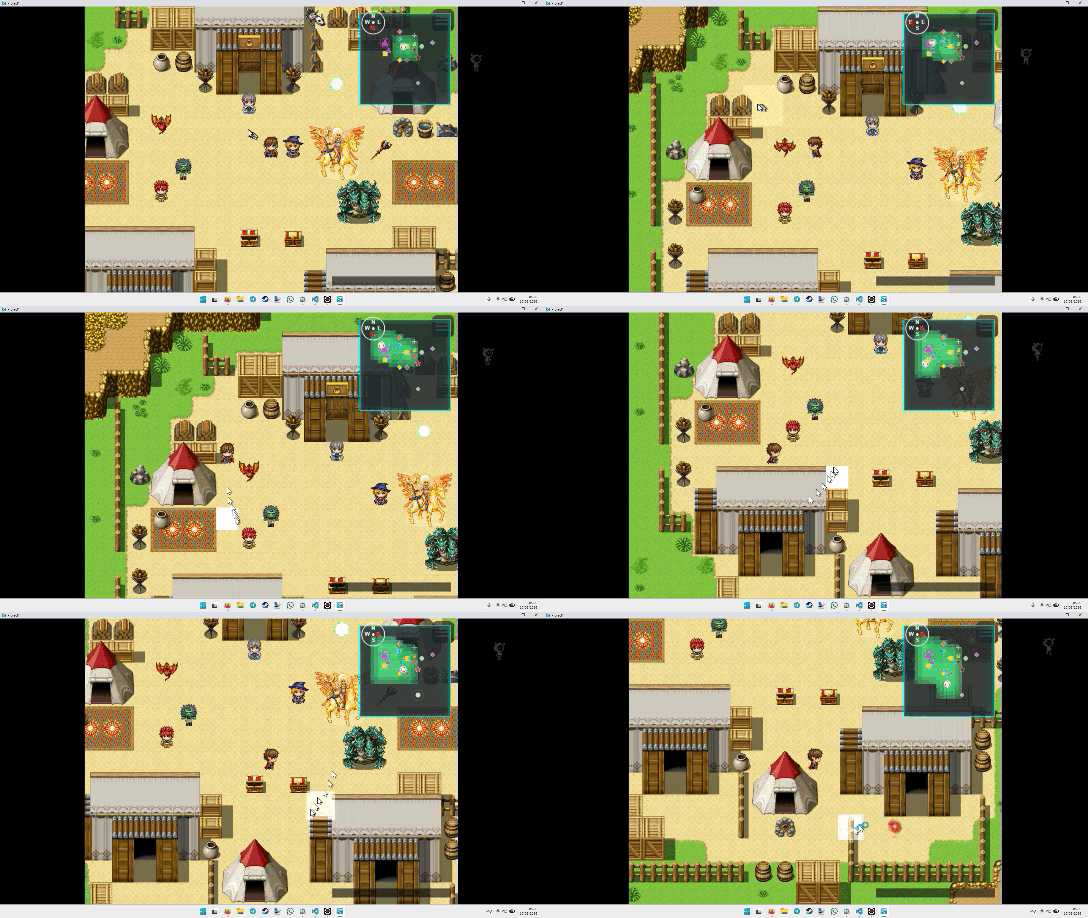
MINIMAP PAN Plugin Command panTo X Y — the minimap slides

animatedly toward that coordinate for Duration frames,

then returns to the player automatically.


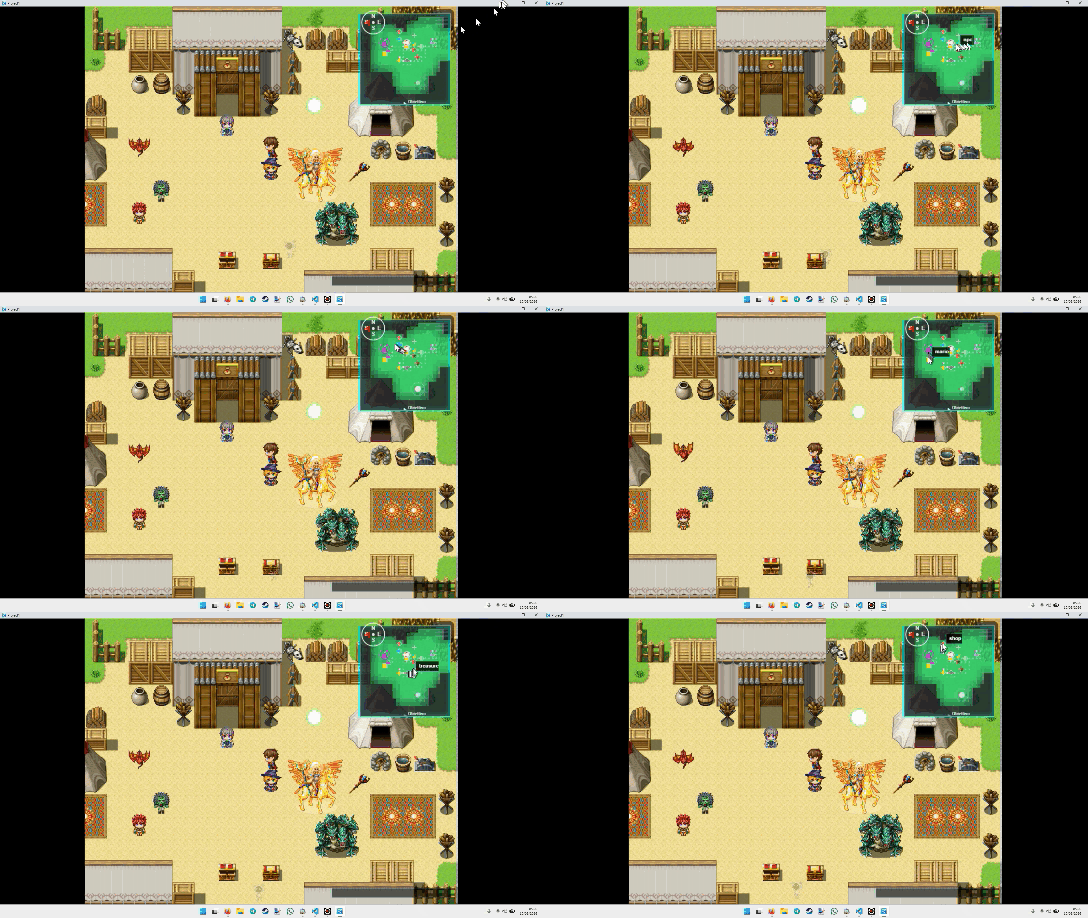
TOOLTIP HOVER On desktop, move the mouse near an icon to display

the event's name/label. Activable from parameters.


QUEST BURST When an objective is completed, a burst of particles

explodes on the minimap at that point.


THEME PRESETS 5 ready‑to‑use visual themes:

dark / fantasy / scifi / minimal / gold

They override colors and border with a single parameter.

• None = Default
1778384247523.png


• Dark theme
1778384307979.png

• Fantasy theme

1778384355419.png


• scifi theme
1778384390957.png


• Minimal theme
1778384425571.png

• Gold theme (I love this one)

1778384468626.png

── MAINTAINED FROM v8.0 ────────────────────────────────────────────────────

Multi‑objective quest registry with per‑objective color

Quest HUD panel with live distance

Breadcrumb trail

Proximity pulse (<alert>)

Zone overlay with label

Free icon shapes for each type

Tags <hidden> <once> <alert> <label:text> <custom:#col:shape>

Complete Public API

Persistent fog of war

Compass, legend, zoom, grid, ping, waypoint


============================================================================

EVENT TAGS (event's Note field)

============================================================================


BASE TYPES:

<npc> <npc:Character Name>

<enemy> <enemy:elite>

<treasure> <treasure:locked>

<boss> <boss:final>

<item> <switch>

<quest> <shop>

<save> <portal>


IMAGE ICON (file in img/pictures/minimap/):

<img:boss_dragon> loads boss_dragon.png, size 16x16

<img:npc_elder:24> loads npc_elder.png, size 24x24


FULLY CUSTOM ICON:

<custom:#FF8800:star>

Shapes: circle square triangle diamond star hexagon pentagon arrow cross flag


BEHAVIOR:

<hidden> Invisible until player gets close

<once> Disappears on first approach

<alert> Proximity pulse on the minimap border

<flash> Blinks when the player is close

<label:Text> Label below the icon (at max zoom)

<radius:5:#FF4444> Circle of N tiles radius around the event

<timer:3> Countdown based on MZ Variable n.3


COMBINED EXAMPLES:

<boss:final>

<alert>

<radius:8:#FF0000>


<npc:Merchant>

<flash>


<img:chest_gold>

<label:Legendary Chest>

<once>


<custom:#00FFAA:hexagon>

<radius:3:#00FFAA>

<timer:5>


============================================================================

ZONE OVERLAY (MAP note)

============================================================================

<zone:1:#FF0000😀anger Zone>

<zone:2:#00AAFF:Ice Cavern>

Format: <zone:REGION_ID:#Color:Label>


============================================================================

PLUGIN COMMANDS

============================================================================


show / hide / toggle

showGrid / hideGrid / toggleGrid

showCompass / hideCompass / toggleCompass

showLegend / hideLegend / toggleLegend

showQuestHUD / hideQuestHUD / toggleQuestHUD

zoomIn / zoomOut / zoomReset

revealMap / resetExplored / resetSettings

setWaypoint (X, Y, Label, Color)

clearWaypoint

pingLocation (X, Y, Color, Duration)

panTo (X, Y, Duration) — animated pan toward coordinate


startQuest (questId, questTitle)

addObjective (questId, objId, X, Y, Text, Color)

completeObjective (questId, objId)

completeQuest (questId)

failQuest (questId)


============================================================================

FULLSCREEN MAP

============================================================================

Hold the Toggle key for 40 frames → fullscreen.

Or use Plugin Command: showFullscreen / hideFullscreen

In fullscreen, fog of war and icons are fully visible.


============================================================================

THEME PRESETS

============================================================================

"Theme" parameter: dark | fantasy | scifi | minimal | gold

Overrides individual colors. Set to "none" to use manual colors.


dark — almost black background, dark green, simple white border

fantasy — dark brown background, forest green, golden border

scifi — blue‑gray background, cyan, glowing cyan border

minimal — transparent gray background, white, simple border

gold — brown background, golden yellow, double gold border


============================================================================

PUBLIC API

============================================================================

const API = PluginManager.MiniMapAPI;


API.ping(x, y, color, duration)

API.setWaypoint(x, y, label, color)

API.clearWaypoint()

API.panTo(x, y, duration)

API.addCustomIcon(id, x, y, color, shape, label, duration)

API.removeCustomIcon(id)

API.isExplored(mapId, x, y)

API.startQuest(id, title)

API.addObjective(questId, objId, x, y, text, color)

API.completeObjective(questId, objId)

API.completeQuest(id)

API.failQuest(id)


============================================================================

CREDITS

============================================================================

Author : Rpx

Version : 9.0

Year : 2026

============================================================================
GIF IMAGES ARE HERE (I can't upload)
You can download & try HERE
Free Minimap is HERE
View attachment 365963

OLD MINIMAP
View attachment 365978View attachment 365979View attachment 365980View attachment 365981
=====================================================================================================================


After months of work and bug fixes, I’m pleased to present the new version of Fog of War Minimap for RPG Maker MZ.
(Screenshot and gif are in original position, but you can move Minimap in 4 positions, don't worry)
Fully customizable via RPG Maker's Event system. We've made it compatible with the Quest system.

[ISPOILER]
View attachment 365964View attachment 365965
View attachment 365966View attachment 365967
View attachment 365968View attachment 365969

View attachment 365964View attachment 365965

[/ISPOILER]

3 Shape Type
[ISPOILER]
View attachment 365970View attachment 365971View attachment 365972[/ISPOILER]

What about Border?
[ISPOILER]
View attachment 365973[/ISPOILER]

Do you wanna see the difference?
• Simple:
[ISPOILER]

View attachment 365974

[/ISPOILER]

• Double
[ISPOILER][/ISPOILER]
[ISPOILER]

View attachment 365975
[/ISPOILER]
• Glow (I love this one)
[ISPOILER][/ISPOILER]
[ISPOILER]
View attachment 365976

View attachment 365977
[/ISPOILER]

── NEW FEATURES v9.0 ────────────────────────────────────────────────────────

FULLSCREEN MAP Hold M (or configurable key) to expand the minimap

to fullscreen with a smooth animation.

Press again to return to normal size.


IMAGE ICONS Use custom PNG images for icons:

<img:fileName> → loads img/pictures/minimap/fileName.png

Automatic sizing, integrated cache.


SOFT FOG The fog dissolves softly at the edges instead of

pixel‑hard clipping. Activable from parameters.


RADIUS OVERLAY Tag <radius:5:#FF0000> draws a circle of radius 5

tiles around the event. Perfect for bosses, dangers,

safe zones, guard ranges.


VARIABLE TIMER Tag <timer:VAR_ID> shows a countdown near the icon

based on the value of an MZ variable.


PROXIMITY FLASH Tag <flash> makes the icon blink when the player

enters the proximity radius.


MINIMAP PAN Plugin Command panTo X Y — the minimap slides

animatedly toward that coordinate for Duration frames,

then returns to the player automatically.


TOOLTIP HOVER On desktop, move the mouse near an icon to display

the event's name/label. Activable from parameters.


QUEST BURST When an objective is completed, a burst of particles

explodes on the minimap at that point.


THEME PRESETS 5 ready‑to‑use visual themes:

dark / fantasy / scifi / minimal / gold

They override colors and border with a single parameter.

• None = Default
View attachment 365957

• Dark theme
View attachment 365958
• Fantasy theme

View attachment 365959

• scifi theme
View attachment 365960


• Minimal theme
View attachment 365961

• Gold theme (I love this one)

View attachment 365962
── MAINTAINED FROM v8.0 ────────────────────────────────────────────────────

Multi‑objective quest registry with per‑objective color

Quest HUD panel with live distance

Breadcrumb trail

Proximity pulse (<alert>)

Zone overlay with label

Free icon shapes for each type

Tags <hidden> <once> <alert> <label:text> <custom:#col:shape>

Complete Public API

Persistent fog of war

Compass, legend, zoom, grid, ping, waypoint


============================================================================

EVENT TAGS (event's Note field)

============================================================================


BASE TYPES:

<npc> <npc:Character Name>

<enemy> <enemy:elite>

<treasure> <treasure:locked>

<boss> <boss:final>

<item> <switch>

<quest> <shop>

<save> <portal>


IMAGE ICON (file in img/pictures/minimap/):

<img:boss_dragon> loads boss_dragon.png, size 16x16

<img:npc_elder:24> loads npc_elder.png, size 24x24


FULLY CUSTOM ICON:

<custom:#FF8800:star>

Shapes: circle square triangle diamond star hexagon pentagon arrow cross flag


BEHAVIOR:

<hidden> Invisible until player gets close

<once> Disappears on first approach

<alert> Proximity pulse on the minimap border

<flash> Blinks when the player is close

<label:Text> Label below the icon (at max zoom)

<radius:5:#FF4444> Circle of N tiles radius around the event

<timer:3> Countdown based on MZ Variable n.3


COMBINED EXAMPLES:

<boss:final>

<alert>

<radius:8:#FF0000>


<npc:Merchant>

<flash>


<img:chest_gold>

<label:Legendary Chest>

<once>


<custom:#00FFAA:hexagon>

<radius:3:#00FFAA>

<timer:5>


============================================================================

ZONE OVERLAY (MAP note)

============================================================================

<zone:1:#FF0000😀anger Zone>

<zone:2:#00AAFF:Ice Cavern>

Format: <zone:REGION_ID:#Color:Label>


============================================================================

PLUGIN COMMANDS

============================================================================


show / hide / toggle

showGrid / hideGrid / toggleGrid

showCompass / hideCompass / toggleCompass

showLegend / hideLegend / toggleLegend

showQuestHUD / hideQuestHUD / toggleQuestHUD

zoomIn / zoomOut / zoomReset

revealMap / resetExplored / resetSettings

setWaypoint (X, Y, Label, Color)

clearWaypoint

pingLocation (X, Y, Color, Duration)

panTo (X, Y, Duration) — animated pan toward coordinate


startQuest (questId, questTitle)

addObjective (questId, objId, X, Y, Text, Color)

completeObjective (questId, objId)

completeQuest (questId)

failQuest (questId)


============================================================================

FULLSCREEN MAP

============================================================================

Hold the Toggle key for 40 frames → fullscreen.

Or use Plugin Command: showFullscreen / hideFullscreen

In fullscreen, fog of war and icons are fully visible.


============================================================================

THEME PRESETS

============================================================================

"Theme" parameter: dark | fantasy | scifi | minimal | gold

Overrides individual colors. Set to "none" to use manual colors.


dark — almost black background, dark green, simple white border

fantasy — dark brown background, forest green, golden border

scifi — blue‑gray background, cyan, glowing cyan border

minimal — transparent gray background, white, simple border

gold — brown background, golden yellow, double gold border


============================================================================

PUBLIC API

============================================================================

const API = PluginManager.MiniMapAPI;


API.ping(x, y, color, duration)

API.setWaypoint(x, y, label, color)

API.clearWaypoint()

API.panTo(x, y, duration)

API.addCustomIcon(id, x, y, color, shape, label, duration)

API.removeCustomIcon(id)

API.isExplored(mapId, x, y)

API.startQuest(id, title)

API.addObjective(questId, objId, x, y, text, color)

API.completeObjective(questId, objId)

API.completeQuest(id)

API.failQuest(id)


============================================================================

CREDITS

============================================================================

Author : Rpx

Version : 9.0

Year : 2026

============================================================================
GIF IMAGES ARE HERE (I can't upload)
You can download HERE (DEMO ON BROWSER IS OLD MINIMAP)
Free Minimap is
HERE

I forgot to mention:


Why so many options and why so many features?

I’m trying to make your work as a developer as less tedious as possible, and I want your game to be as unique as possible. When I create a plugin, I want you to be able to create something unique, not just another copy of what everyone else has.

This plugin does just that: It lets you customize and create something unique, always different.

(I haven’t designed the icons yet, but they’ll be available soon—if I don’t get bored.)

Original thread: https://forums.rpgmakerweb.com/threads/fog-of-war-map.183552/