RMDC #1: Dynamically Ordered Choice Selections


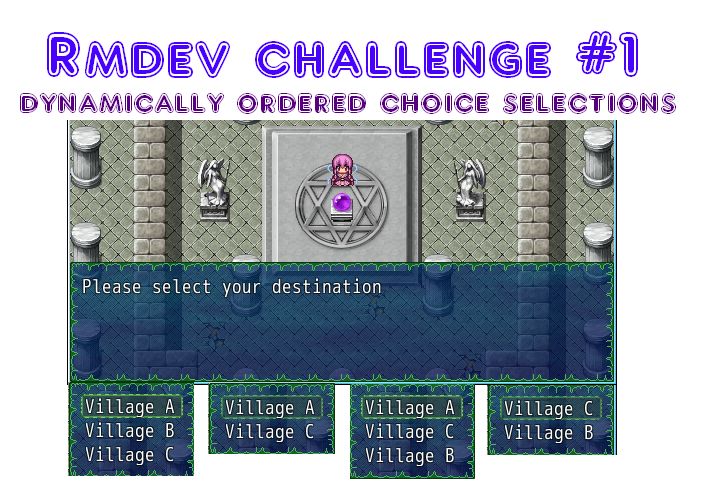
Suppose you have an NPC that displays a list of options for the player to select from. The catch: each option has a condition that must be satisfied to appear, and the order that the options appear is based on the order that the conditions were satisfied.

Introduction

The RMDev Challenge is a series of articles that presents a problem for RPG Maker developers and the objective is to find a solution.

The purpose is to engage RPG Maker developers in some (possibly practical) problem-solving that will allow them to explore more of what the engine has to offer, and also to see how others implement the same solution.

The rules are simple: provide a solution that works in a version of RPG Maker of your choice. You can use anything at your disposal: events, pictures,  ruby scripts, external libraries, etc.

You may present your solution however you wish (comment, blog post, video, etc) and wherever you wish, but I ask that you leave a link back to this article if you are sharing a solution on external sites. I also recommend sharing the solution on external sites and leaving a link in the comments because the comment section is too small for details. Remember: you want to share with others your solution.

Challenge

Suppose you have three villages in your world creatively named Village A, Village B, and Village C. I will refer to these villages as A, B, and C for brevity.

To make traveling around the world faster, you have a teleportation device in your castle that allows you to teleport to a village that you have visited. Initially, none of the villages are available.
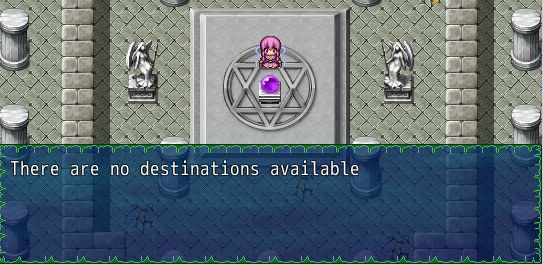


Once you visit a village and record its position, you may now teleport to that village using the device.

The order that the villages appear in the teleport menu is based on the order that you visited the villages. For example, if you visited A, then B, then C, the options would appear in that order.
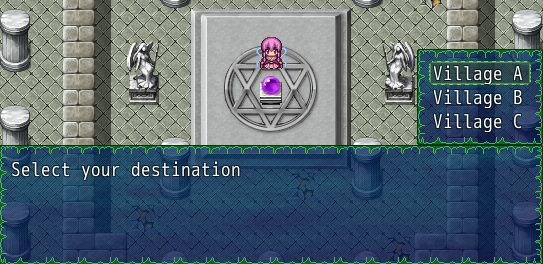


On the other hand, if you visited A, then C, the A would appear first, followed by C.
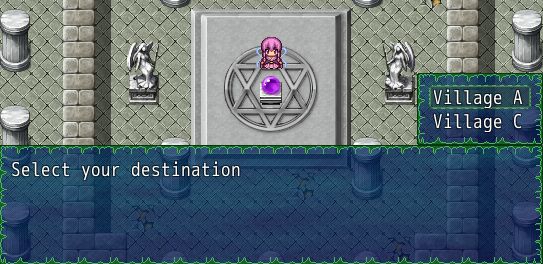


You can see that Village B isn’t available. This is because you haven’t visited it yet.
Finally, after you visit B, you would now see A, followed by C, followed by B.
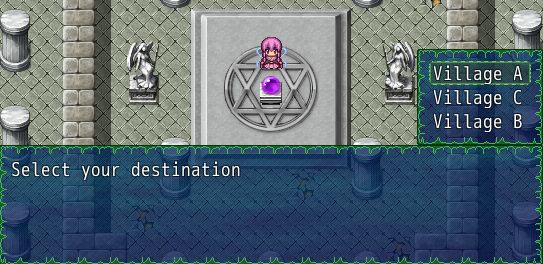


This reflects the order that the villages were visited during your game.

Note that the solution does not strictly need to be presented as the default choice selection (these images were generated for illustration purposes only)

How would you accomplish this?

(originally posted at HimeWorks)
I would just script a teleportation scene (as i did in the past) ^_^

Although, that doesn't really order them dynamically, it just checks whether or not to display them.
Hmm...
Although, that doesn't really order them dynamically, it just checks whether or not to display them.


Hmm...
Yes, I was about to ask how you would handle the dynamic ordering lol
I must be missing something cause doesn't the sort method do this already? I know in one of my scripts it adds stuff into a array/hash when things are discovered and the dev can decide how they want to sort that list, by levels, alphabetically or order discovered.
ok, if i was adding a dynamic ordering into my script i would just remember the order the entries where added and then dispay in the same order...

Not really given it much thought about how to do it using normal game choices 😛
Eventing is a core component of RM and so a solution that uses the choice command would be preferred.
So just to be sure, it should use the event choice command thing, but doesnt necessarily need to be an evented solution?
Yes, it doesn't need to be a completely evented solution. It would be nice if you used the event choice command thing (entirely up to you. You could just use a custom scene with a configuration section for input).


But integrating it with the event system is cooler right?
Not necessarily 'cooler' cause who knows what you might come up with for a fully scripted scene - flying saucers abducting the player and placing him at a new location for example... But it would certainly open it up for more possibilities due to allowing the dev's imagination to maintain control over things. 😛

Will see what I think of (if anything) and let you know.
Ok, got it working, had some issues reusing an old project (may have been scripts interfering) so I had to start over. Didn't take long, though any more then 3 locations would make everything much more difficult to keep straight using this method.

First we need to set the order of when/if you visited a place:

RMDC 1.jpgRMDC 3.jpgRMDC 4.jpg

And Make sure that only happens once:

RMDC 2.jpg The ones for B and C are the same, didn't bother taking a picture.

Then set a switch corresponding to the order when you enter the room (All one event page):

RMDC 5.jpgRMDC 6.jpgRMDC 7.jpgRMDC 8.jpg

Then you need to show the choices (I only did the ones starting in A, but it is a simple process to show the rest):

RMDC 9.jpgRMDC 10.jpgRMDC 11.jpgRMDC 12.jpgRMDC 13.jpgRMDC 14.jpg
I actally got this working quite nicely with events. Probably similar to Ralpf's but I've not delved into all of his event pages.

With the specific scenario you've put forth, it's not too messy. Any more towns and it starts getting complicated real quick.

When I'm home on my computer again, I will post video and screenshots.

Back to add:

Okay, here is my solution in action:

I made the assumption that Village A will always be listed first, since it is the village you start in and therefore the first town visited. Also, I made it so that when only one town has been visited, it simply asks if you want to go to the other town. I may amend this as I want to go back and try it with 4 towns to see how I can get it best to work.
Here's my solution. I've also included a demo.


Similar to other event solutions, I used events to track village order and set up the teleportation device.


For tracking villages, I condensed it down to just variable incrementing and didn't bother checking what the values are (except for whether this is the initial visit or not, which is done as a page condition)


rmdc1_solution2.jpg


I used a script to hide choices and sort the choices based on the order that the villages were visited.


All the script does is allow me to make a script call to handle all the different combinations of choices rather than having to create a dozen different cases.


rmdc1_solution5.jpg
I'd probably just make an array or hash that saves which villages can already be teleported to and use that to determine the choiceslist, that way I could easily keep it based on the order your found them. Just like what happens in the item list if we remove the sorting part from the default script.
Using an array to keep track of the choices would work, but what about actual displaying the choices?
By setting $game_variables to the id's in the array then using \v[n] in the choice commands would be one way. 🙂

Was actually similar to the way I was trying but didn't have the commitment to finish it.
@Hime - display them in the same order as in the array. Since you'd put them inside the array in the order of how they've been unlocked, then they will have that same order on the choices. and of course we'd be using something else or edit the default choices window so that we could correctly link it to which place it should teleport into.


@Sarlecc - though if we're using the default choice window, the names alone won't be enough as we need to specify in the event command what each choice will do. So we still need to edit how the choices would work.
@Adiktuzmiko Conditional branches inside the choice commands would work for that.

Code:
 choice \v[1]  if $game_variables[1] == "a"   transfer location a  else    if $game_variables[1] == "b"      transfer location b  else     transfer location cchoice \v[2]  if $game_variables[2] == "a"   transfer location a  else    if $game_variables[2] == "b"      transfer location b  else     transfer location cchoice \v[3]  if $game_variables[3] == "a"   transfer location a  else    if $game_variables[3] == "b"      transfer location b  else     transfer location c
I've been trying to work up a script for this but having a hard time focusing on it and finding the time to finish it. But I have it so the dev can set up choice options in the script and they can set conditions for the choices to appear in the list.. like if a switch is on/off, if a variable is atleast x, or they can set it to true/false to start out with and use script calls to update the display toggle. Then they can link a common event to run when a choice is picked.(or not).

Then in the script is when the choices are saved off. If the check value in the set up is met at the start of a new game then the choice will get saved into a list. More choices will get added to the viewable list as script calls are used to turn them on or as conditions are met. I'm debating on letting the player sort the list..but I think it'd be too many options then and it'd become annoying for all the choices.

I'm about 80% done with it.. I think I spend the first couple of days just setting up a demo and only the last day or so working on the script... yeah I know that's a bit backwards. I should write the script and then the demo 😉
Here's my solution. I've also included a demo.

Similar to other event solutions, I used events to track village order and set up the teleportation device.

For tracking villages, I condensed it down to just variable incrementing and didn't bother checking what the values are (except for whether this is the initial visit or not, which is done as a page condition)
Can't believe I missed that, used a very similar method in my farming system.

I don't know any Ruby, but this is definitely one that is better to script, but if it is just 3 places it's not too bad to event.
ok.. had a ton of bugs I had to work out and think it's all working now. Of course it's the middle of the night so.. sorry if I missed a few.

updated demo link: https://www.dropbox.com/s/c4mk19rl70b9qn7/Dynamic%20Choices.exe?dl=0

note: I used some of PandaMaru's tiles and and edit of Mack's tent stand in the demo. So if any resources get reused, credit and terms must be followed for those resources 🙂

edit: Ok now that I've had some sleep, here's some screen shots and I found a couple of things I forgot to check.. like I didn't put the script call in for the final list when talking to the girl in the lower right corner of the map. I also forgot to put limits on the choice window size when the list is bigger then the area it should be drawn to. I'll fix that when I get a chance.

You can set up multiple lists though and they take message codes so here's some screen shots of the list change, a long list and some icons in the choices:

Spoiler
screenshot.png

shot.png
Dynamic Choices.rar

Original thread: https://forums.rpgmakerweb.com/threads/rmdc-1-dynamically-ordered-choice-selections.34826/