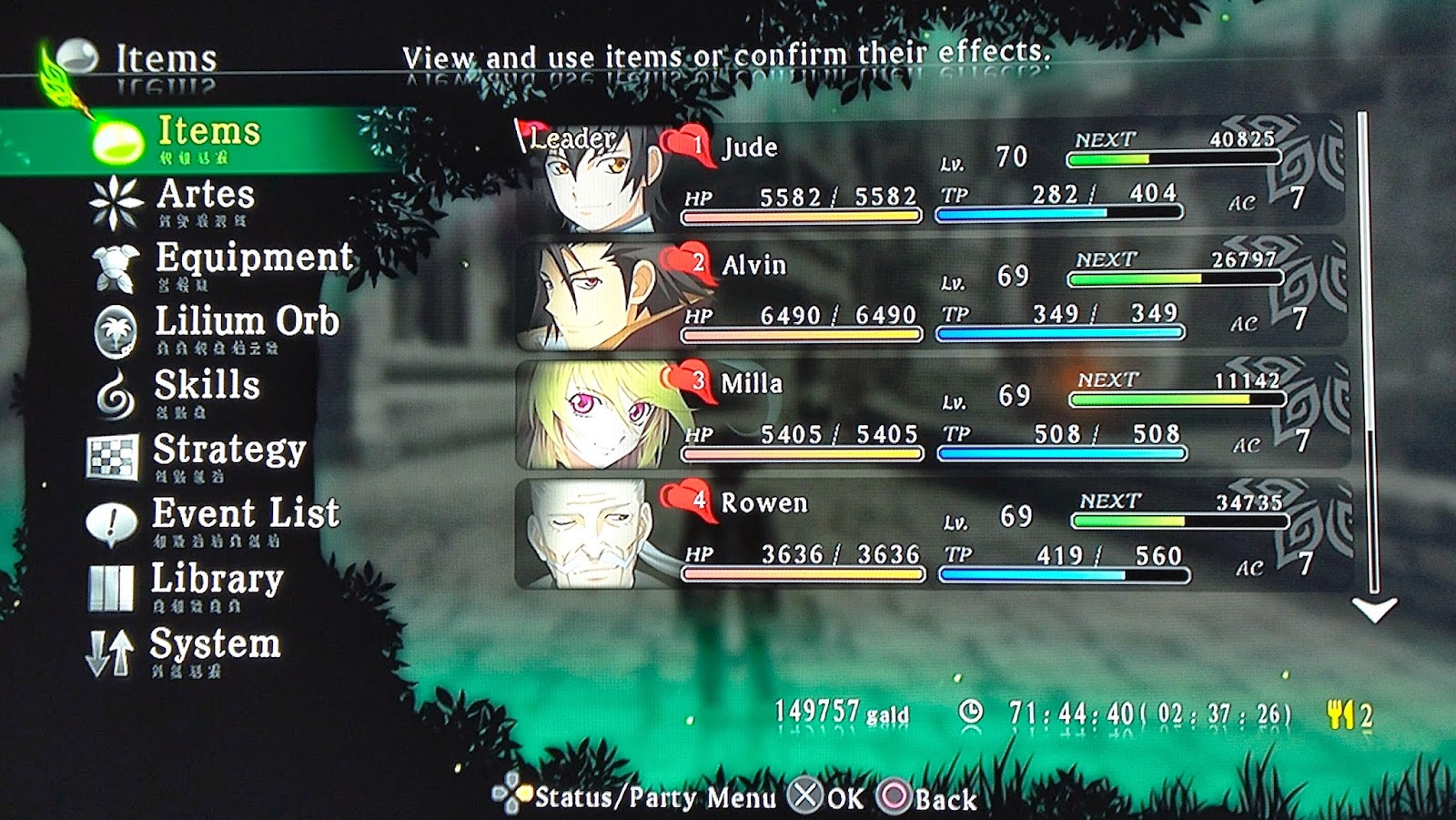
Menu Background and Windows Opacity

Menu Background and Windows Opacity

By Rito


In the vidéo there are Command Icons by Atreyo Ray and Animated Menu (for particules) by Soulpour77

Description

Adds background for each menu and modified each opacity windows. Empty parameter in background file = transparent default.

Script

Rito_Menu_Background.js

Usage

Free for commercial games but, please credit me, and contact me for discover your game   🙂

Demo

Google drive (16mo) - Inclued some plugins of Yanfly and Rito's GameEnd Custom.

Bonus

Inclu the modMenu by Bodkaa for location window (modified version). I just modified that :

var Imported = Imported || {};Imported.ModMenu = true;And that (for center text) :

Window_Location.prototype.refresh = function() { this.contents.clear(); var width = this.contentsWidth(); this.drawText($gameMap.displayName(), 0, 0, 180, 'center');};Changelog

1.0 - Release !
Menu Windows Opacity Add-on

By Rito

Description

This plugin is an add-on to "Menu Background and Opacity Windows".

It's a windows groups which are not original and are added by plugins.

If you want to include a particular plugin, let me know.


Plugin

Rito_Menu_Add-on


Plugin set

Yanfly

- Item Core

- Equip Core

- Status Menu Core

ArkDG

- Save Engine


Usage

Free for commercial games but, please credit me, and contact me for discover your game    🙂


Changelog

v1.02 - Inclued Status Menu Core by Yanfly.

v1.01 - Inclued Save Engine by ArkDG.

v1.00 - Inclued Item and Equip Core by Yanfly.
Update for Menu Windows Opacity Add-on :

v1.01 - Inclued Save Engine by ArkDG.
Hi,

I can't see the option to change the opacity of picture.
The background being black non-transparent, I found no need to change the opacity. We get only black. If you want to add a transparent background, put nothing value.

Opacity is only for windows.

----FR

L'arrière plan étant noir non transparent derrière.J'ai trouvé inutile de changer l'opacité. On n'obtiendrait que du noir. Si vous voulez un fond transparent, ne rien mettre dans le champ de fichier d'arrière plan.

L'opacité ne concerne que les fenêtres.
Ok, no problem.

I just wanted to try something like this : http://1.bp.blogspot.com/-tHThOwaFToI/UyP-DnMp1kI/AAAAAAAAAiY/tsfxPNI2oJU/s1600/menu.jpg

But it's okay, thanks to your script I was able to put this in game 🙂

Spoiler
CU76KjYUAAQL8cA.png
There is a plugin called Cursor Menu
Hey Rito I love your plugin

is there any chance you can add support for Galvs magic shard scene?

I already know there is an option for that in galvs plugin that you can use another background but I had to disable this parameter for compatibility reasons.

I would really appreciate it!
I'll see what I can do.

Edit : I found a solution but that by modifying the Galv's plugin, I'll give you the link but try asking him to incorporate these parameters it updates his plugin.

When I try to change the opacity separately from this plugin, it consider my lines as "undefined".

Pastebin
Excuse me ... but the background image of the menu ... but where is saved ????
You can make it more compatible with all Windows if you check for opacity and bg images at the parent level.  It's how I made mine compatible with all custom windows....you just need the name of the window.  Feel free to use the logic in my plugin.  🙂

http://forums.rpgmakerweb.com/index.php?/topic/46926-nasty-replace-window-with-picture 
Excuse me ... but the background image of the menu ... but where is saved ????
BUMP!
Oh yes I forgot to specify that files must be in "img /menu_background" but you can change the name on line 148 on your own.

Code:
ImageManager.loadMenuBackground = function(filename, hue) {    return this.loadBitmap('img/menu_background/', filename, hue, true);};
Oh yes I forgot to specify that files must be in "img /menu_background" but you can change the name on line 148 on your own.

ImageManager.loadMenuBackground = function(filename, hue) { return this.loadBitmap('img/menu_background/', filename, hue, true);};
Me still does not work ... you ALWAYS by mistake ... you can not post a demo please ?????
I'll put the demo later in the day. I am not at home.
Ok, thanks, I'll wait !!! 😀   😀   😀
The demo is avaible to google drive (16mo).

I added some plugins to show compatibility.
The demo is avaible to google drive (16mo).

I added some plugins to show compatibility.
Thank you so much for the demo !!! Now it works great !!!

I have just one question ... the background does not appear on the entry status, and I state use the plugin: STATUS MENU CORE Yanfly !!!
My Add-on plugin doesn't use the Status Menu Core functionality of Yanfly but I can add.

Leave me a little time to code this a bit and check.


I can't encode for now, I would start to code that starting tomorrow night.


EDIT :

I tested and background displays correctly (However, it should rework the image but that's not me who will do that.) :

1450718888-sans-titre.jpg


I ended up adding some on the opacity of windows and I put it all online.
Update for Menu Windows Opacity Add-on :

v1.02 - Inclued Status Menu Core by Yanfly.

Original thread: https://forums.rpgmakerweb.com/threads/menu-background-and-windows-opacity.51559/