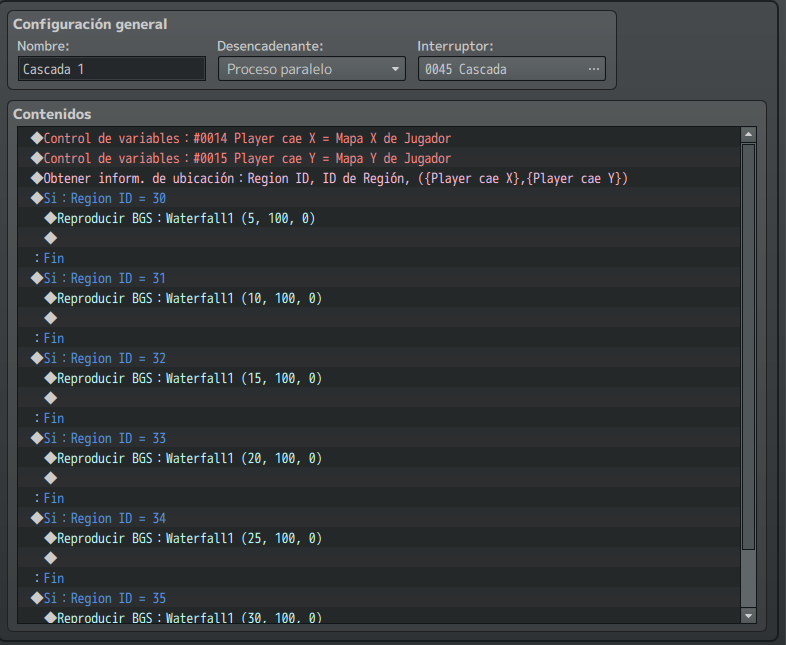
Okay, for the volume control, I made a little script for you. So here's what you need to do:
1) Create a parallel process event.
2) Insert a wait command. Put the number of frames you want between every time you want the SE to play (in my testing I put 30 for twice per second)
3) Insert a script command and copy/paste my code:
Code:
var maxVolume   = 100;
var origin_x    = 25;
var origin_y    = 8;
var maxDistance = 10;
var se = {"name": "Bell1", "pitch": 100};

var falloff = maxVolume / maxDistance;
var pow_x = (origin_x - $gamePlayer.x) * (origin_x - $gamePlayer.x);
var pow_y = (origin_y - $gamePlayer.y) * (origin_y - $gamePlayer.y);
var realDistance = Math.sqrt(pow_x + pow_y);
se.volume = Math.round( Math.max( maxVolume - falloff * realDistance, 0 ) );
AudioManager.playSe(se);
4) Now change the 5 first variables to your liking:
a) maxVolume = the max volume you will hear. This will only be heard if the player is directly in the area in which the sound is emitted.
b) origin_x = the x position of the origin of the sound.
c) origin_y = the y position of the origin of the sound.
d) maxDistance = the distance the player needs to move away from the origin of the sound to not hear it anymore. Note that I calculate this
based using Pythagoras (moving 3 cases x away and 4 cases y away will equal 5 cases away from the source).
5) Set the name of your SE and the pitch of your SE inside the "" in the brackets. I've put "Bell1" for testing and 100. Change it as you like.