Apps not downloading on iPhone 7

Hi everyone. So far my iPhone 7 is great except for this one issue. These two apps that I deleted from the App Store will not download again. They are stuck with the circle symbol. I've tried everything: log out of iTunes and log in again, reboot iPhone, keep on pressing on the apps to try to download but they won't. What should I do to fix this?

83e1e4e990c9e1ebeb30a83e3bcb9cc9.jpg
8dea2a864a6395c73cbb1981f8e93468.jpg
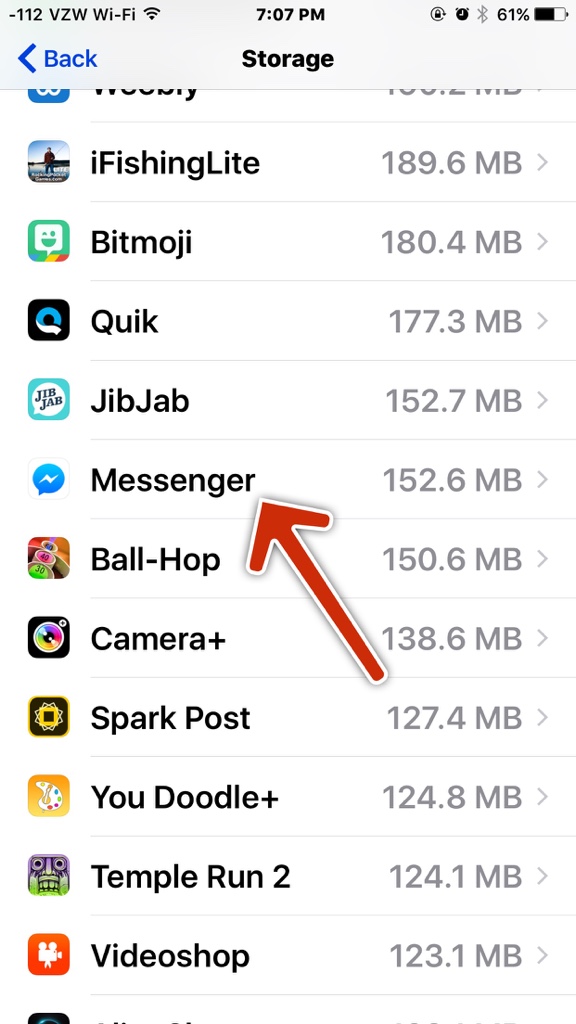
Try deleting them, then try to download again. To delete, go to Settings > General > Usage > Manage storage > scroll to the App > Tap > delete the app.

5f4832f231fee13a99f79063f1c9cc9d.jpg


6e6ab22a611ca77967e2b8d2f1cad03c.jpg
Try deleting them, then try to download again. To delete, go to Settings > General > Usage > Manage storage > scroll to the App > Tap > delete the app.

//uploads.tapatalk-cdn.com/20161014/5f4832f231fee13a99f79063f1c9cc9d.jpg

//uploads.tapatalk-cdn.com/20161014/6e6ab22a611ca77967e2b8d2f1cad03c.jpg

That didn't work. The apps don't show up because they were deleted originally.
A couple of things to try:

1) Refresh the App Store - go in to the App Store and keep tapping fast on any one of the icons at the bottom of the screen (10 times), this will refresh the App Store.

2) Do a soft reset of the phone by holding the power and volume down button for several seconds.

It my be that neither of these work but it's worth a try. I have had the same problem in the past but honestly can't remember the outcome.
1. Make sure the iPhone is connected to a good network/Wi-Fi.
2. Use iTunes to download Apps.

Original thread: https://forums.imore.com/threads/apps-not-downloading-on-iphone-7.375584/