Cracked Laptop Lid?

Hi there,

I don't often post here but I didn't know where else to ask this and I need some help. :/ My laptop has this crack on the bottom right of the lid near the hinge and it's worrying me. The laptop is fairly new, been with me for just a year, and I treat it carefully. I am not even sure how this crack happened although I did go out with it only once to work so it might have been that.
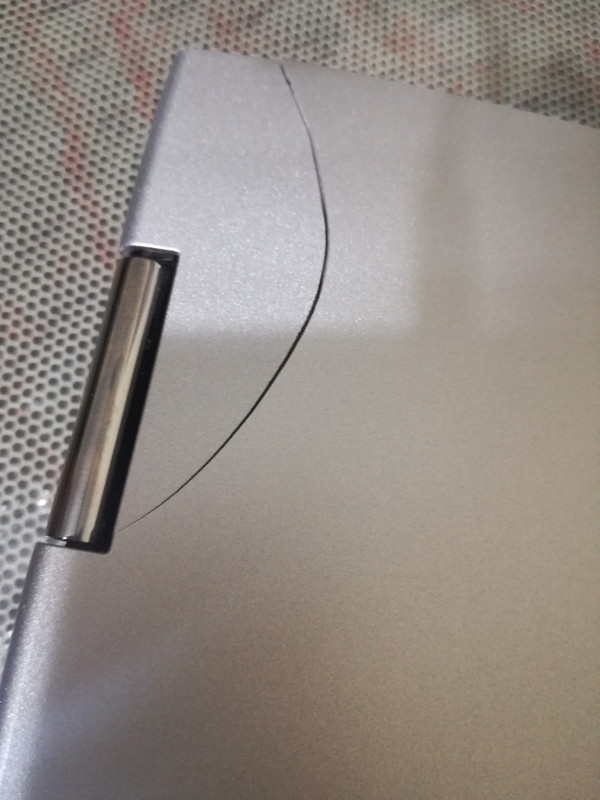
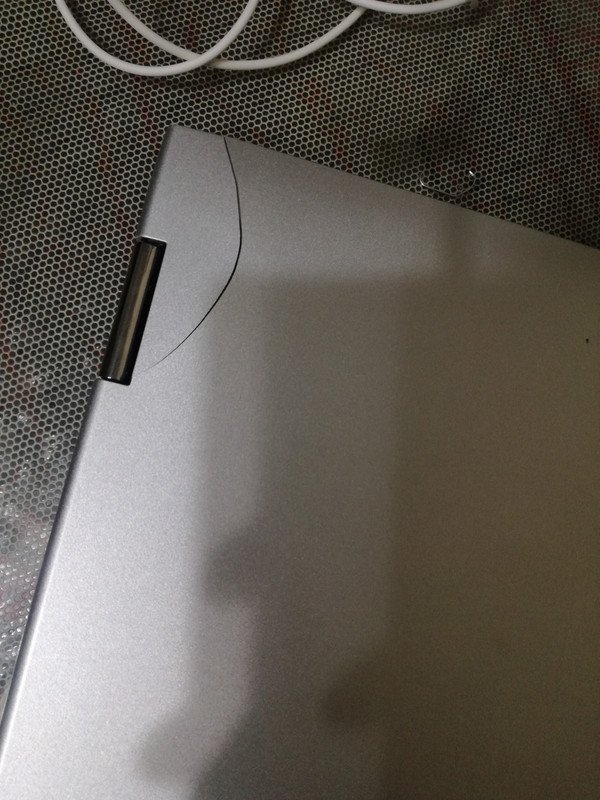


Is there any sort of fix to this? I am quite upset because as I said, the laptop is new and everything else is working perfectly fine. I would appreciate any help with this, please. =\
That looks quite concerning, what model laptop is it? Might be a design flaw with the laptop itself, it is not easy to make a laptop crack like that even you are not careful with it

HP Pavilion x360. It is a 2-in-1 laptop but I'll add I don't use the feature of rotating it that often, maybe 10 times in a whole year and definitely not recently.

Is there anything that can be done about this? T_T It will get worse? T_T
So Ive actually replaced some screens before and messed with the hinges, by the look of those my best guess as to cause would be the laptop had something in it (like a pen or rock or something) when it was closed making it flex over the obstruction and crack.

possible damage: close it gently and see if it has resistance, if there is none, then it was likely a foreign object (assuming my guess is correct) and shouldnt cause more damage as long as its avoided in future. If there is resistance when closing (it wont close all the way) then its a flaw in the hinge and how it closes, which can very easily crack and damage the screen.

For whats already been done, there isnt really a "fix" besides replacing the broken cover which would mean re mounting everything inside

hope this helps

Thanks for the advice. I am not quite sure about the cause but right now, the laptop closes all the way smoothly and there is no feeling of obstruction at all. The only trouble I am having is that whenever I close it it feels like the crack is getting worse, while opening the lid smoothes it out. I don't mind how it looks but I am just worried it gets worse somehow. 🙁
If the lid is flexing enough to cause more damage (even when closing with pressure from the other side of the lid) i would suggest getting a replacement lid and having it replaced. I myself have access to very strong epoxies and would use that, if you want you can try something like that, but it wont be pretty, just functional

(the epoxy i have is industrial, if i use it to glue a piece of plastic together and break it, the epoxy would be more sturdy and break the thing elsewhere
Much thanks for the advice. I'll look into getting a replacement lid since this is the safest and best option. I didn't know that replacing the lid was possible actually, but I am glad to know it is. ^^

Thank you very much for the help. 🙂

Original thread: https://forums.rpgmakerweb.com/threads/cracked-laptop-lid.121705/