I have an ASUS MX279 monitor. I squashed a bug that I saw crawling on my computer screen. Turns out the goddamn bastard was inside the screen, not outside. And now there's a very annoying spot on the screen. I tried watching some tutorial videos on how to take apart my monitor but still couldn't understand how they did it. I tried to follow the steps but I was worried that I might have done something wrong.
Here is how the monitor looks like:
https://i.ibb.co/n7GkwcZ/20210911-230239.jpg
https://i.ibb.co/dLCMSQb/20210911-230219.jpg
https://i.ibb.co/yWX6wx3/20210911-230143.jpg
I tried to use a screwdriver to open the bezel, but I found some broken parts inside. This can't be normal, right...? I stopped before I could cause anymore damage.
https://i.ibb.co/8XqjPjJ/20210911-230543.jpg
Sorry if the pic isn't clear. Stupid phone decides to act up all of a sudden. These electronics hate me.
https://i.ibb.co/vqqCk5M/20210911-231126.jpg
What should I do to take out the screen? Continue to pry open the bezel like the tutorial...?
Thanks in advance for any help!
Someone advised me that I might just be causing more damage than it's worth. And that it's more costly to take it to a repair shop if I am thinking about it. Uh... Am I doing this wrong, after all? I don't think it's worth bring this to a shop, but surely it can't be this complicated and expensive to just take the screen out for a quick cleanup. It's not as if I'm replacing it.
My plan is to try to pry open the front screen a bit, enough to fit a sheet of paper in, then push it down to where the bug is, then wipe it to the right. Might not be completely clean, but should get rid of it. Hope it works.
Here is how the monitor looks like:
https://i.ibb.co/n7GkwcZ/20210911-230239.jpg
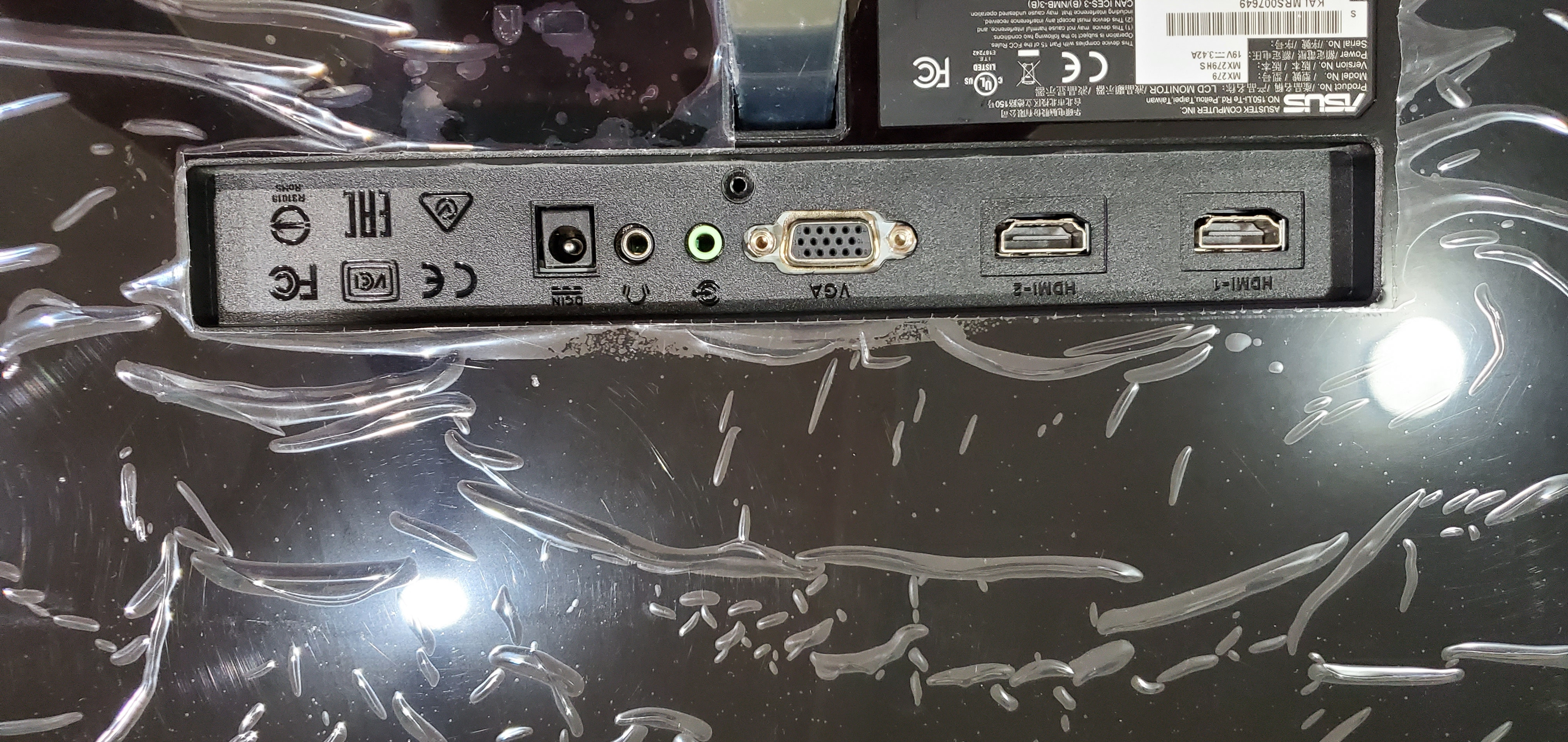
https://i.ibb.co/dLCMSQb/20210911-230219.jpg

https://i.ibb.co/yWX6wx3/20210911-230143.jpg

I tried to use a screwdriver to open the bezel, but I found some broken parts inside. This can't be normal, right...? I stopped before I could cause anymore damage.
https://i.ibb.co/8XqjPjJ/20210911-230543.jpg

Sorry if the pic isn't clear. Stupid phone decides to act up all of a sudden. These electronics hate me.
https://i.ibb.co/vqqCk5M/20210911-231126.jpg

What should I do to take out the screen? Continue to pry open the bezel like the tutorial...?
Thanks in advance for any help!
Someone advised me that I might just be causing more damage than it's worth. And that it's more costly to take it to a repair shop if I am thinking about it. Uh... Am I doing this wrong, after all? I don't think it's worth bring this to a shop, but surely it can't be this complicated and expensive to just take the screen out for a quick cleanup. It's not as if I'm replacing it.
My plan is to try to pry open the front screen a bit, enough to fit a sheet of paper in, then push it down to where the bug is, then wipe it to the right. Might not be completely clean, but should get rid of it. Hope it works.
