PC randomly restarts. What's to blame?

Just to quickly mention the issue you asked about in your first post - as best I can think, your computer turning back on after you select power down could not be related to your power supply.

That would be either something on your motherboard initiating the boot sequence, or something corrupted in your operating system that's not actually telling it to power off (as others have mentioned, malware).

Do you have access to an installation file for your operating system? (e.g. Windows 10 on a USB jump drive) You should be able to try a repair installation over your existing one that doesn't delete your files, which is an option if you can't get the computer to stay on long enough to scan the whole drive.

But ultimately I recommend the same thing I did in your last thread - take it to the repair shop. I know it's more money but, without any intent to be insulting, you sound like you're in this gray area of knowing more about computers than the average person, but not enough to troubleshoot and solve this on your own.

I just think it's going to take more time and much more emotional frustration for you to plow through it than it will someone who's fully trained and has access to the appropriate diagnostic tools and hardware.
I had the same issue about 3 years ago with my wife's PC and it ended up being Hard drive failure... when we were doing upgrades we ran out of funding for her to move to a SSD from a HDD and the mechanical disc started having read errors and would reboot the PC randomly, and the longer it would be used the faster and more often they would happen.

Eventually the PC turned off one final time and never came back on. Sadly by that point the HDD was completely shot and while we did make copies of almost everything from it, we missed the chance for a 100% backup.

Do you use a Solid State Drive, or an older conventional Mechanical Disc Drive? if it is the older stuff, I am almost certain is it HDD failure in the early stages.
Try getting Linux onto a usb stick, and boot your computer from Linux. If it works without turning off, it's an OS issue, and you'll want to wipe and reinstall Windows.
Sometimes, when I shut down the PC, but instead of powering down, the PC turns itself on again, as if I chose to restart it instead.

This is actually a Windows setting that Microsoft made default a decade back or so, and that was one of the decisions that they should be lynched for...
Perhaps some of you remember the infamous "Blue screen of death" where windows crashed and gave you a lot of error codes that almost no one could read?
The setting is basically "whenever you got a crash, restart automatically and do not display the error codes".

So what most likely happened is that during shutdown Windows experienced a crash and switched to reboot because of the crash instead of displaying the error.
Unfortunately I don't know where in the deep system management console Microsoft placed that setting in moder windows versions, but you might want to search for it and switch it back to display the error code. those can at least be googled to indicate what really is defective.


there are ways, for example, unplug the powercord, hold the
boot button for 10-20 seconds to get rid of all electricity the
system hold, plug back the power cord and boot it.
A Power Supply Reset with this procedure mainly removed temporary damage done by extreme Power Spikes (like suddenly getting 20000 Volt instead of 110/220 Volt into your power supply.
And the most common results of those power spikes are bootup slowdown (while the computer tries to repair wrong BIOS data) or temporary/permanent damage to RAM (which IS one of the more common causes to restart and one of the Blue-screen-causes).

If you haven't done this yet, please do - if it helps then we will know the area of the damage and where it most likely came from.

Other than that I strongly suggest following the advice of getting a temporary replacement for your HDD and try to install windows on that - a used low capacity HDD should be cheap on ebay and will enable you to test without risk to your data on your real harddrive.
And it can be used to add to your computer as a secondary drive for virtual memory after you found the real culprit
I have no HDD. Only two SSDs. Wouldn't I at least get some kind of warning message if the SSDs were having issue? Reinstalling window can actually be another risk. If something happens during the installation process, if this is power related, then I don't know what kind of data I'd lose or problem it'd cause. I'd hold off on that option for now.

@ShadowDragon No malware. Ran a scan with Malwarebytes. Only have that and Windows Defenders.
Even if a certain program is not up to date, I can't imagine how it can cause something like this.

@Soulrender Only got Chrome. Didn't notice anything unusual.
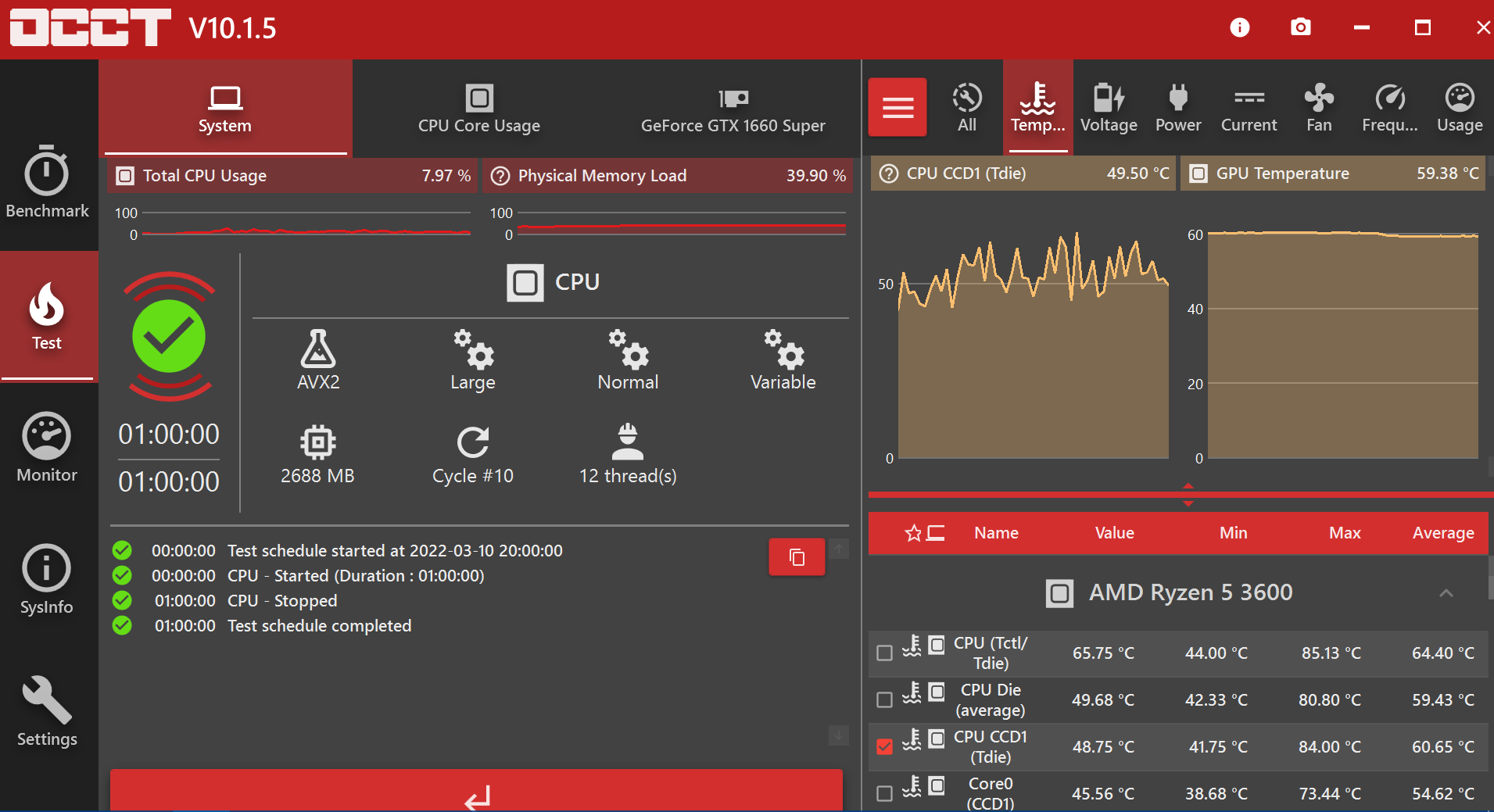
GPU wasn't used at all. Wasn't playing any game. CPU temperature was 60 or so, goes up to 74 or so when I did this OCCT test and opened more tabs, but went down quite quick. It fluctuates between 60-70, from what I recall seeing in Dragon Center. But overall, nothing out of the ordinary.


I opened up the PC to check and cleaned up dust. There was some, but not enough to disturb any components. Already checked the cables, too, all plugged in tightly. Well, I showed you what PSU I currently have. Not as often recommended as the big three EVGA, Corsair, and Seasonic, but wasn't on a bad tier, either. Well, in hindsight, maybe I should have gone with a safer option.

@ATT_Turan
your computer turning back on after you select power down could not be related to your power supply.

That would be either something on your motherboard initiating the boot sequence, or something corrupted in your operating system that's not actually telling it to power off (as others have mentioned, malware).

Well, I was worried it might have something to do with the motherboard itself. Another person told me:

Probably a bad standby line, the mobo operates a gate that basically all it does is logically pull low or high (closed/open circuit) the standby voltage that in turn does the same inside the PSU, closes or opens a circuit that allows the main transformers for 12, 5 and 3.3V (sometimes -12 and -5 as well although those are pretty much obsolete nowadays, and ATX 3.0 spec will probably remove -12 for good) to send power to the board, if something fails inside the PSU the components in the standby line will not remain stable and the computer will restart.

If the new PSU doesn't solve the issue, I'm tossing it over to the repair shop. They can reinstall Windows or check whatever the hell they need, as long as I don't lose my data.

@Ahuramazda No HDD at all.

@Andar
The setting is basically "whenever you got a crash, restart automatically and do not display the error codes".

I turned off the automatic restart option. I remember getting a BSoD once (so it wasn't disabled), and it was clearly not the same way as the PC restarting itself.

unplug the powercord, hold the
boot button for 10-20 seconds to get rid of all electricity the
system hold, plug back the power cord and boot it.

If you haven't done this yet, please do - if it helps then we will know the area of the damage and where it most likely came from.

Uhm... I can try that, sure. If it continues?
If it continues?
that procedure (power supply reset) does NOT remove the cause of the problem, it only temporarily regenerates the capacitors inside the power supply.
But if the computer does work better for a week after that, we can tell you where to look next to really repair the problem

Wouldn't I at least get some kind of warning message if the SSDs were having issue? Reinstalling window can actually be another risk. If something happens during the installation process, if this is power related, then I don't know what kind of data I'd lose or problem it'd cause. I'd hold off on that option for now.
That is why I suggested another harddrive. If you disconnect your current harddrives and install on the new drive, nothing can happen to your data (unless you encrypted the drive itself).
And why I suggested a cheap used drive as that, as to not waste too much money on that test.

And no, not every error from your harddrive/SSD gets reported.
no boot, can help with the electricity part, but it doesn't fix
the restart problem like you have, but able to reboot to gain new
power (that is what I learned as I broke mine a couple of time by
testing things out and how far it can go) ^^

BSOD cannot be turned off, but is rarely it shows a code (this code
can be retrieved by a software of the BSOD log (can give a link if you had it)
as it is no installation required.

most codes goes about the kernel, and that is something I dont get quite yet
or how different kernels plays a role in them.

but we also have spare pc's with HDD, RAM etc, so we can basicly try things
if it fails, and if there is still garanteed on your system (under 2-3 years mostly),
you can get free service (if you didn't break the seal) or did not broke something
you did where the garanteed are gone for use.

I can only tell that I fix most peoples pc in RL within 1-2 hours 🙂 on distance, it
would be to hard, as it would be best to look at it in RL so they have insight
and can test things faster to get it back in a working state.
@Andar I tried the power supply reset. Still got a restart a few hours later.

Psu arriving today.
Alright. That's it. I'm throwing in the towel. Still got a restart after putting in the new psu. And now I gotta take out everything, then switch back to the old one, to return the new one, because it's not the issue.

Well, hope the repair shop can do that for me.
So... an update for those who are curious:

I took it to a repair shop on Monday, and got it back this afternoon. The guy swapped out the RAM, and confirmed that they are not the problem. GPU is fine, too. Disconnected the case fans; uninstalled MalwareBytes and Classic Shell (because they were trial versions which could possibly cause issues; I doubted, but whatever), reinstalled and updated some drivers and bios. He didn't swap out the CPU, but said the screws for the cooler were a bit loose so he tightened them up. After two days of testing, he didn't get any restart anymore. So I took it back and I'm testing it. Left it at home, let some videos play, then got back to work. Hope it's still working fine... $95 total.

Now, I'm sure I was not supposed to screw in the screws too tight, or it could bend the motherboard. I asked and he said they shouldn't be completely tight, but they were a bit loose so he tightened them a little more. I don't think they could have been loose enough to cause an issue like this. And that somehow affected the CPU...? How weird. I'd understand if the CPU was overheating, but it wasn't. So $95 and two weeks of agony because I was too dumb to tighten the screws all the way in? There better not be another issue, lol. That's a fair price, is it?
I would bet the issue was with the drivers he uninstalled rather than any slight difference in the tightness of the screws.

But regardless, it was less than the cost of any single component, and it's working for you!

Original thread: https://forums.rpgmakerweb.com/threads/pc-randomly-restarts-whats-to-blame.145650/