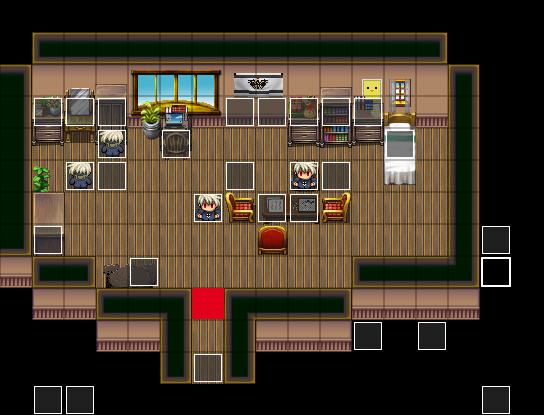
What scripts are you using? Do you have a parallaxed background on the "to" map? Any chance your parallaxed map (if that's what you're using) isn't being included in the compressed file? Any chance the script you're using uses the File. commands to load it? I know they won't work on a compressed project.
I'm assuming you're saying it actually appears to transfer the player to the correct map, but it's just not showing the map?
What happens if you change the switch BEFORE the transfer command?
My guess was going to be that it's the transfer command. But, I can't think why that would cause an issue. It just struck me as odd to have it in that order when I've always kind of learned that you do transfer commands last in an event to avoid general bugginess.
If the transfer is working, it has to be something else to do with the map you're being transferred to. Can you tell if the player moves on the black screen? Can you see the player on top of the black screen, or are they all black as well?
If you can see the player on top of the black screen, it's likely a problem with something you did with mapping (perhaps the parallex thing that Shaz mentions). If you can't see the player either, I would guess you have an auto-run or parallel process event running on the new map you transferred into that is "fade to black" command, but you don't have a "fade in" command present to return the screen to normal.
So I fixed the problem by deleting some pages in the event. And now there's another problem which involves graphics for actors going missing! Although I don't know whether or not I should post this problem in the same thread or make a new topic....
Is it only when the game is compressed?
Why did you delete event pages? Did you try the suggestions we gave you? You didn't give any feedback on results, or answer any of our questions. Not much point asking for help if you're going to ignore it and go off on your own tangent 😉
If you use spoilers, you can just use the img tag to add your images - you don't have to make them a link to an external page.
When you compressed the game, did you tell it to include RTP? I don't think that's the issue here, as even if you said not to, if you're still playing it on the same computer that has RPG Maker installed, it'd find the RTP anyway.
Can you put it back to the way it was (did you make a backup before deleting event pages)? Can you load the project up so I can take a look?
After the transfer, do you do a Fade In?
Your comment about "after I compressed my game" initially made me think it worked okay when you were testing from the editor, but the problem only happened after the compression, so I was looking for things that might behave differently before/after compressing. But reading again, it seems that might have been a bit of a red herring, as you never actually said (at least in your first post) that it was ever working BEFORE you compressed the game.
 ^^^ a screenshot, maybe this is happening because I have too many events in a map?
 ^^^ EDIT: The event page of the event that the player should be interacting with. During playtesting it's fine, just when I've compressed the game, then the problem happens.