Heavy lags on Android Devices?!

Hey there,

first excuse my bad English please, I'm not a native. 

So, I've tested my very first test game on my Galaxy Note 4 and also on a Galaxy S5. My APK was build with Intel XDK and another APK was build with the steps in the MV Documentation.

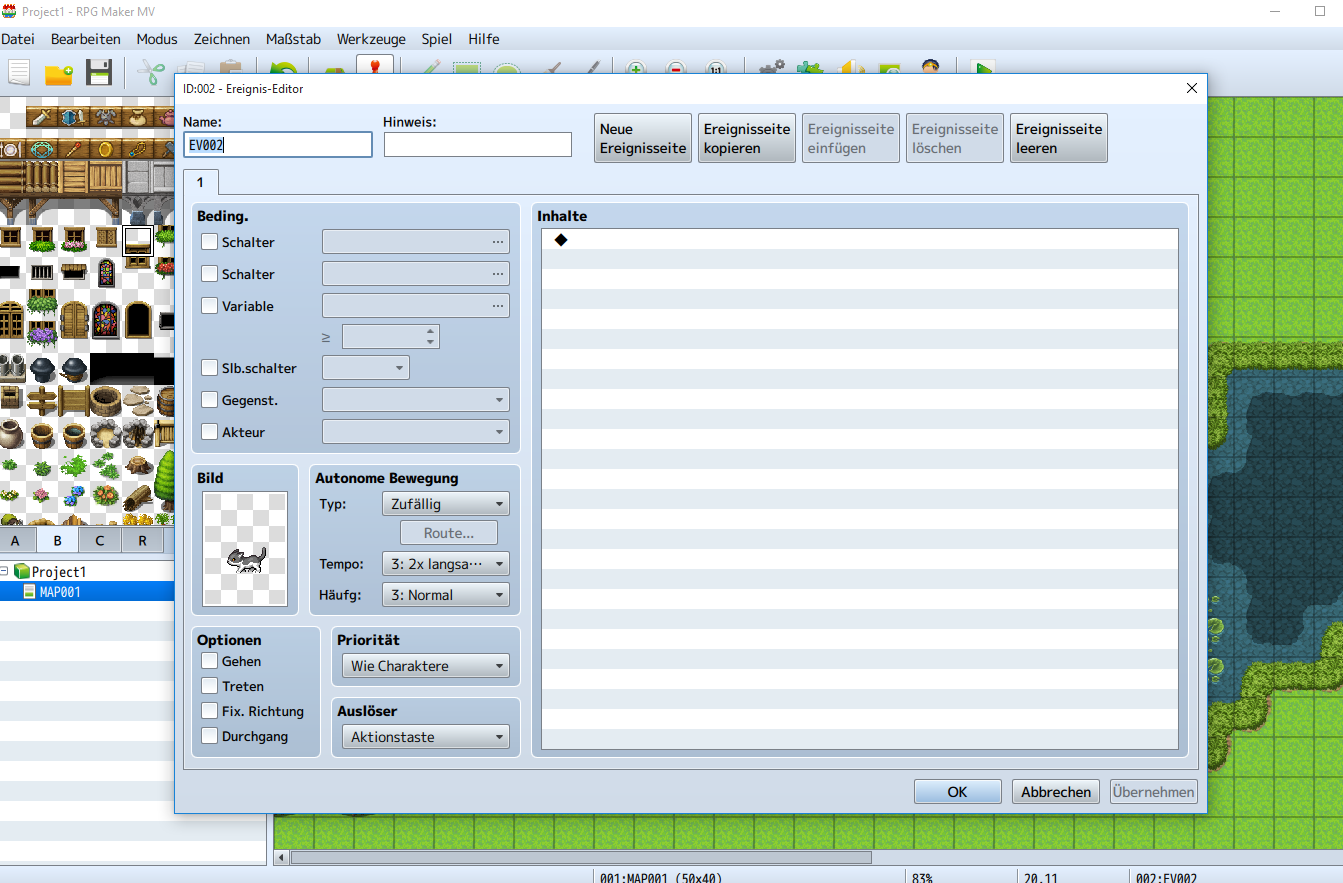
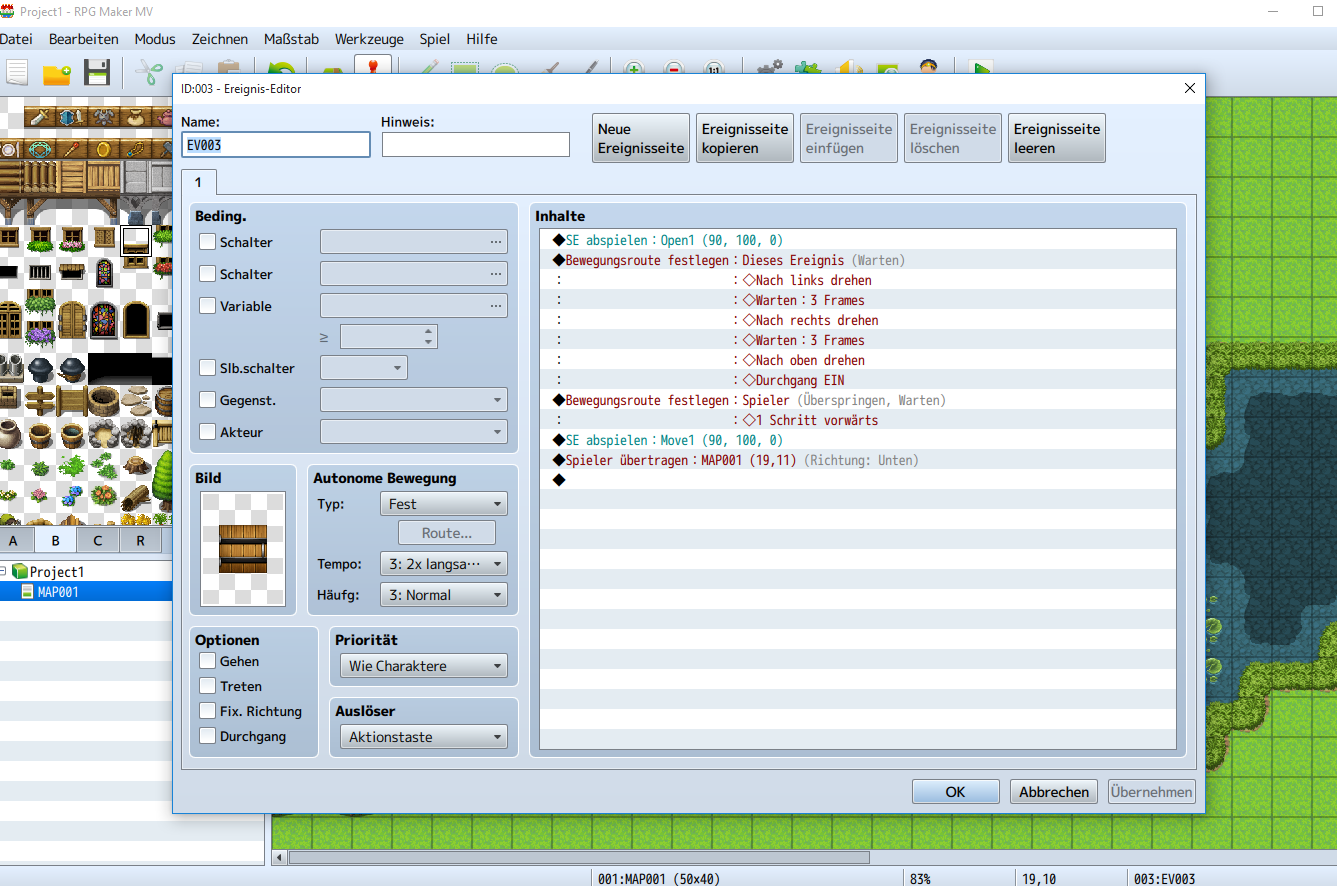
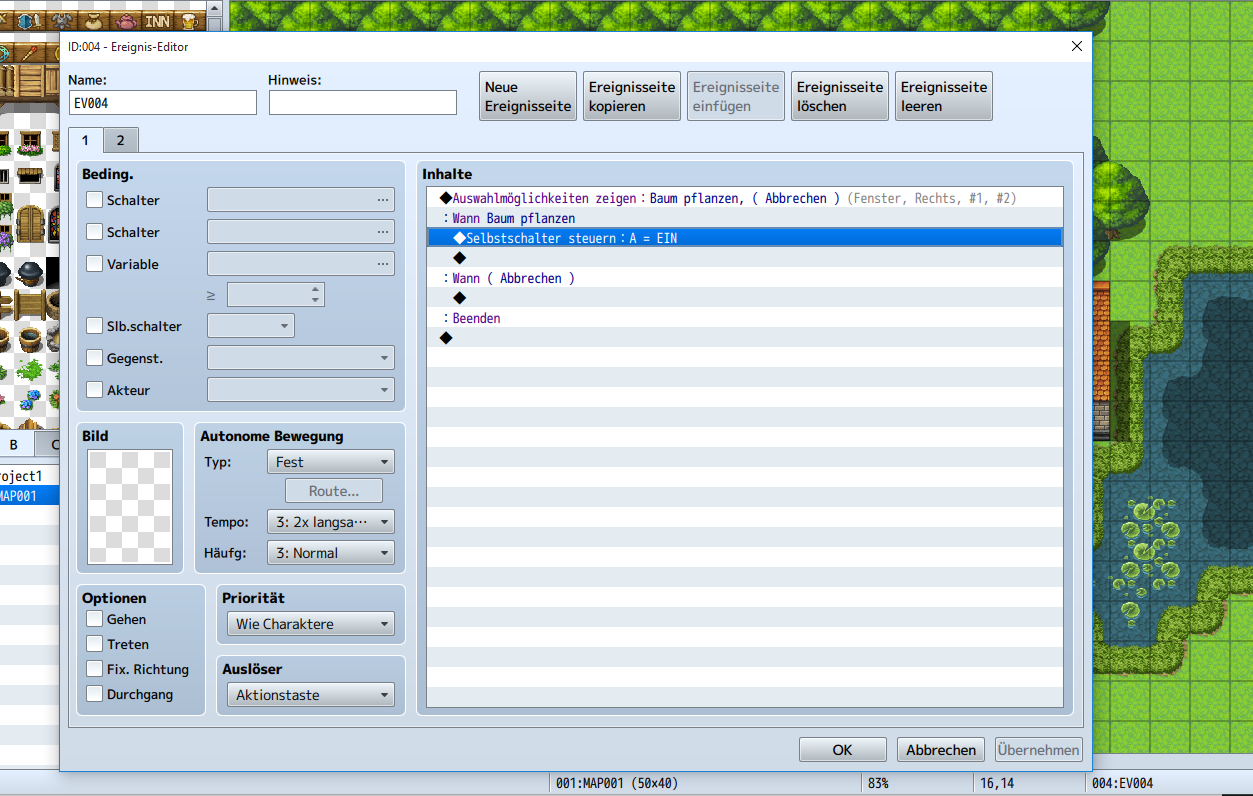
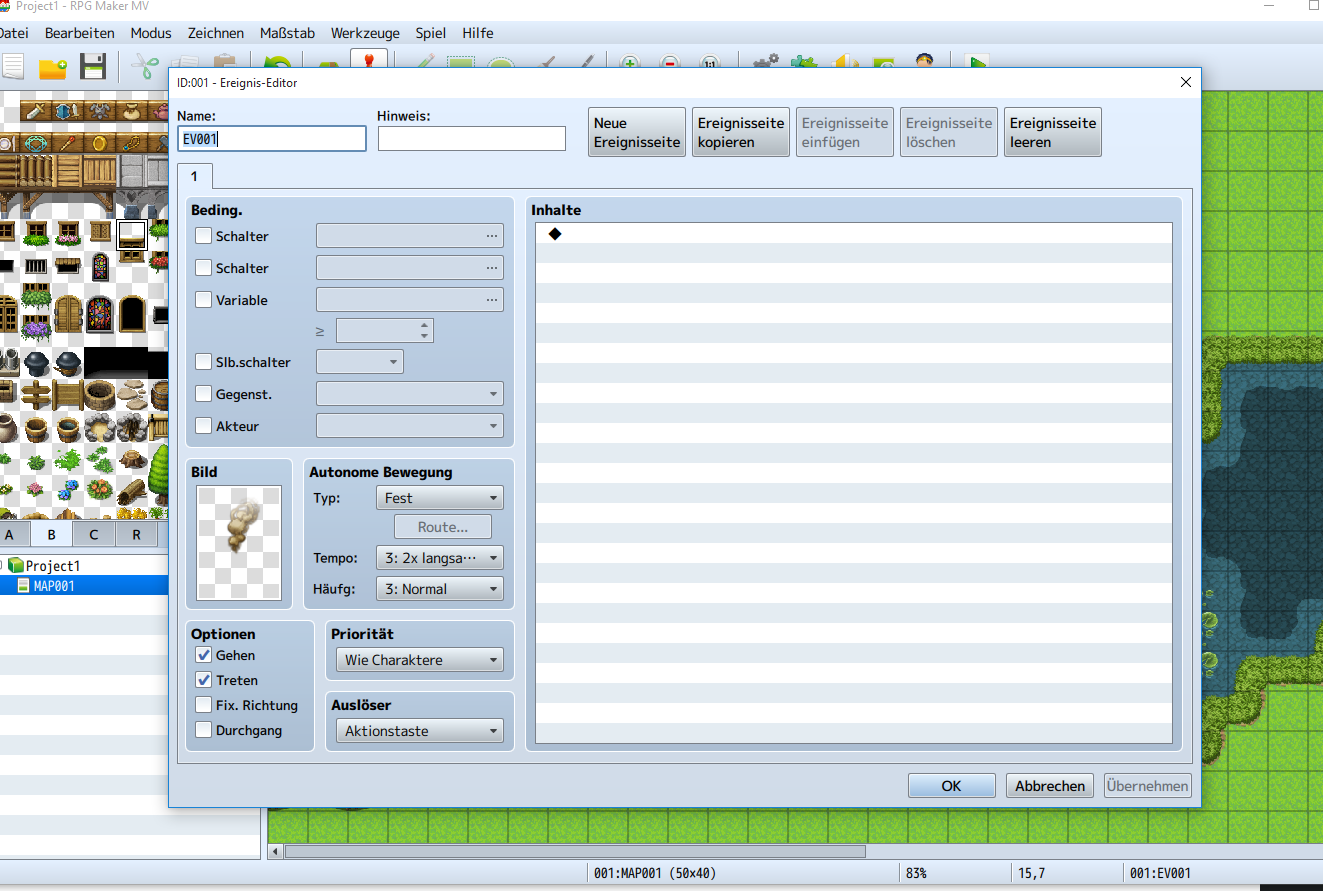
The Map has a size by 40x40 and 5 events - 1x Door, 1x Cat (random walking), 1x smoking chimney, 1x empty event.


On both devices and with both APKs I have very heave lags and max. 3- 4 FPS, but when I go away from this events in an empty part of the map it works fine. 

Did someone has a advice for me? :/
Post a screenshot of your events. Maybe there's something wrong that causes the game to lag.
How large was the apk after you built it? Do you know if it includes ALL resources or only those used in your game?


There is a thread in the MV Tutorials forum on building an apk that uses a method different to the one described in the documentation. Would you like to try that and see if it works better? There was no lag on the device in the video in that tutorial.


oops - too late. Yes, show us your events first. I'm particularly interested in the cat and the smoke events.
Hey,

here are the screenshots:

1. http://fs5.directupload.net/images/151023/wilq6f7f.png

(A tree planting event without function actually, it has only a self switch)

2. http://fs5.directupload.net/images/151023/kwys29aj.png

(The smoking chimney without any action)

3. http://fs5.directupload.net/images/151023/r4wcr3ev.png
(The cat without any action)

4. http://fs5.directupload.net/images/151023/wc6y29qs.png

(A simple door, made with rightclick -> fast event creation -> door)


How large was the apk after you built it? Do you know if it includes ALL resources or only those used in your game?

There is a thread in the MV Tutorials forum on building an apk that uses a method different to the one described in the documentation. Would you like to try that and see if it works better? There was no lag on the device in the video in that tutorial.


oops - too late. Yes, show us your events first. I'm particularly interested in the cat and the smoke events.

 
The APK has a size by 200- 250 mb, I deleted some not used files but not all. 
The second method in the tutorial section is the build with intel XDK, it works better than the APK from the documentation but it's almost heavy lagging. 

On the tutorial video there was now lag, but there wasn't events too - I don't have lags too, when I play on a map without events, but with some I got problems. 
I tested the iOS-Build, too and have the same problems on an iPhone 5 and iPhone 6 plus.


Thanks for the help 🙂
It's possible that your game is preloading a lot of resources (some stuff you're not seeing either) and it is overworking your phone's RAM. Did you try to remove all excess resources and make it work with bare minimum?

Can you also describe what the lag is like? Is it like, if I talk to the chest, there's a slight pause sort of lag? Or is it like 3~4 FPS even when you're walking? What's your phone's Android version? The minimum requirement is 4.4.
Hmm.. I don't think it's a overworking problem because the Note 4 has a very nice hardware and I've the same problems with the Galaxy S5, the iPhone 5 and the iPhone 6 and also with an iPad Mini (first Gen) (tested it all in the last minutes).
I do not remove all excess resources because I think that a finally game will need a lot of resource more (or not?).
Actually I made a build without resources, so I will take a look in few minutes.

The lags affect only the own character and when he's walking. The smoke and the cat walking fine and without problems, so it's a character problem only.


I will test a build without events and without resources now - I write back in few minutes.


So I've tested a build without events and one without resources.
The build without events works very fine, no lags, no problems. The build without resources but with events had the same problems with lags as the other ones :/
That's very interesting. Can you PM me the APK and Project?
Yes, of couse. I'll upload it on my ftp and send it to you 🙂
Any news out there Archeia? 
I've wrote you a message but no answer 🙁
When making the apk for android, don't use the Intel method (the easy one)

Instead use the one that comes in the help file, when in RPG Maker MV, press F1

That will load a help file on your web browser.

From there go to the Documentation category

Pick Converting to an Android App and follow the steps EXACTLY as written, making mistakes will lead to a non-working game. It's not hard, but very involved, it's not a 5 minute lesson. lol

When you get to step 4-2, it will tell you what command to type in good ol'DOS (command prompt), it will say to type:

python C:\crosswalk-10.39.235.16\make_apk.py --package=com.example.sample --manifest=manifest.json

However, use this slight modification and it should make the game run better on your android (it does for mine at least)

python C:\crosswalk-10.39.235.16\make_apk.py --package=com.example.sample --manifest=manifest.json --xwalk-command-line="--ignore-gpu-blacklist"

The ignore gpu blacklist is the key there. Now if you want me to tell you why it works better. I don't know the specifics, but I think it has to do with magical fairy dust. 😉
http://forums.rpgmakerweb.com/index.php?/topic/46378-androidios-converting-your-project-with-intel-xdk-uploading-to-google-play-store/page-2#entry484273

I have a long post about gpu black listing in this thread if you're interested in learning about it.
Hey, 

first, thanks for your answer.
 

When making the apk for android, don't use the Intel method (the easy one)

Instead use the one that comes in the help file, when in RPG Maker MV, press F1

That will load a help file on your web browser.

From there go to the Documentation category

Pick Converting to an Android App and follow the steps EXACTLY as written, making mistakes will lead to a non-working game. It's not hard, but very involved, it's not a 5 minute lesson. lol

When you get to step 4-2, it will tell you what command to type in good ol'DOS (command prompt), it will say to type:

python C:\crosswalk-10.39.235.16\make_apk.py --package=com.example.sample --manifest=manifest.json

However, use this slight modification and it should make the game run better on your android (it does for mine at least)

python C:\crosswalk-10.39.235.16\make_apk.py --package=com.example.sample --manifest=manifest.json --xwalk-command-line="--ignore-gpu-blacklist"

The ignore gpu blacklist is the key there. Now if you want me to tell you why it works better. I don't know the specifics, but I think it has to do with magical fairy dust. 😉
I tried the Intel and Documentation version to get an APK file but in both I have these lags. 
Yesterday I opend another project. It's laggy too but it's not have so heave lags like the first try but more events.. :/


So, thank you for your posting. I think your post about performance / gpu blacklists is very interesting and useful, but is there any tutorial or "readme" about setting up performance? 🙂


zon3y ~
There isn't at this time. 

To be honest,  Optimizing RM:MV will be difficult from both a community perspective and a developers one as well. 

One of the things I am hoping to teach everyone is that HTML5 is still a very, very young mark up language. Sure, JS has been around for a while but we are not writing native mobile applications.  This new "tech" wasn't even explored untill recently (2014).  If your device lags like no tomorrow,  its likely that your GPU has been blacklisted.  If you get a decent range of FPS,  it could also be the performance of your device in general.

My recommendations are

1.  Lower your overall resolution (keep in mind what this does to effects, sprites and pictures)

2.  Don't go crazy with events, particles, animations, effects and such.  You have to manage your current resources with what goes literally on your screen and off.

3.  Create your events as efficient as possible.  (More Calculations your events require,  the more resources it needs to pull from the pool)

Weather or not you use XDK,  the manual method, or any other kind of HTML5 to APK tool, the difference will be minimal.  It is until a new framework is out for HTML5/js till we see a major improvement. (example, cacoonjs, which at this time is not compatible)
There isn't at this time. 

To be honest,  Optimizing RM:MV will be difficult from both a community perspective and a developers one as well. 

One of the things I am hoping to teach everyone is that HTML5 is still a very, very young mark up language. Sure, JS has been around for a while but we are not writing native mobile applications.  This new "tech" wasn't even explored untill recently (2014).  If your device lags like no tomorrow,  its likely that your GPU has been blacklisted.  If you get a decent range of FPS,  it could also be the performance of your device in general.

My recommendations are

1.  Lower your overall resolution (keep in mind what this does to effects, sprites and pictures)

2.  Don't go crazy with events, particles, animations, effects and such.  You have to manage your current resources with what goes literally on your screen and off.

3.  Create your events as efficient as possible.  (More Calculations your events require,  the more resources it needs to pull from the pool)

Weather or not you use XDK,  the manual method, or any other kind of HTML5 to APK tool, the difference will be minimal.  It is until a new framework is out for HTML5/js till we see a major improvement. (example, cacoonjs, which at this time is not compatible)
That is actually very sound advice. It does limit the visual (and somewhat creative) aspects of your game, but at the end of the day you will have a higher performance game. For me it doesn't apply because my main focus is a PC version with the web/android versions being a bonus, but not the focus. So I have to choose, either make the game I want to make or make the game that will be the most compatible. Since it's my first game that I intend on actually finishing, I will choose to make the game I want. However, once the first is out the way, with my second and so forth, I believe it would be smarter to work within the limitations of all formats I intend on putting it on.

I'm not sure what my point is, cya. 😉

Original thread: https://forums.rpgmakerweb.com/threads/heavy-lags-on-android-devices.46403/