@Cr3ated Hello!
Ah yes, I remember this case, I have one bad new and a good one for this!
The bad news is : it was not very stable and time consuming.
The good one is : I think this is pretty doable and not so hard to create for an experienced programmer (not me
😛) !
But I might give an other try, I'll let you know if I make some progress.
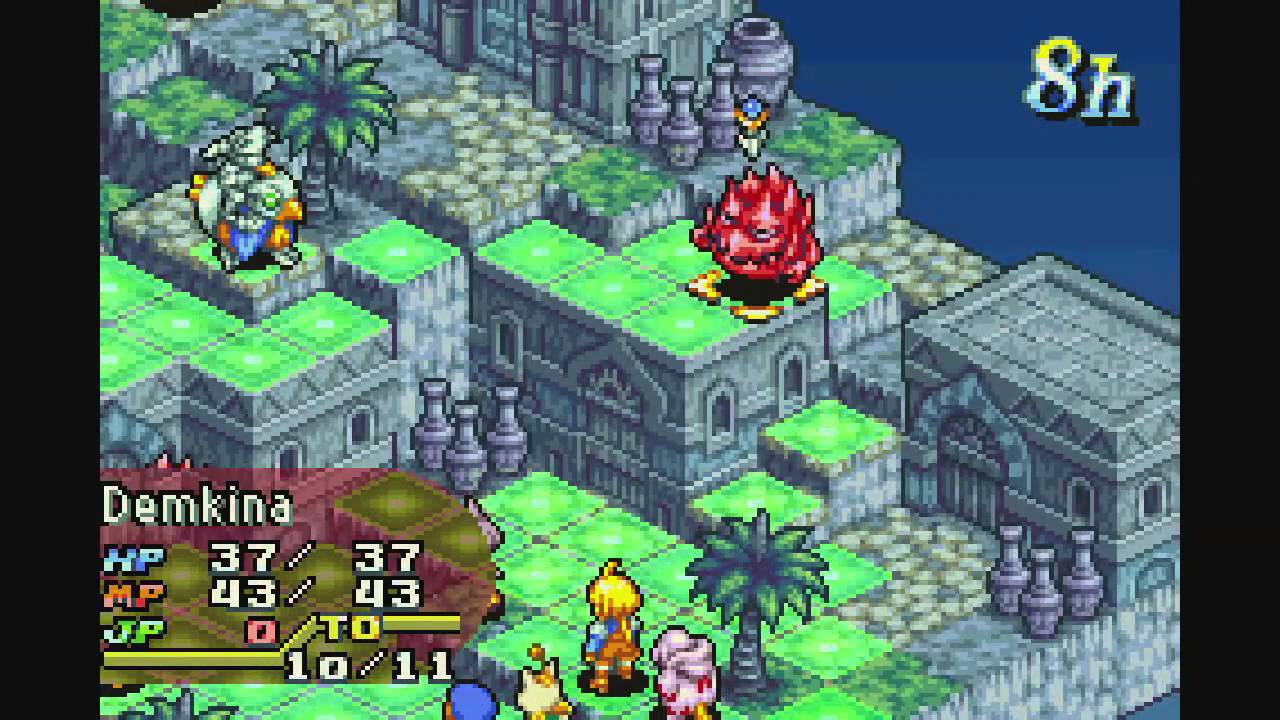
The normal grid size is 48x48 so I made a isometric version of this in a 768x768:
Spoiler: Original template
Since it is ISO, the height is 48, but the length is the double (so 96).
Basically, that means diagonal movement scripts won't work because the length of a cell is not the same as the height.
To create the iso plugin without the need of an other engine or parallax mapping, that means you would need these :
1: A iso movement script (or a tweaked diagonal movement script with the length of a cell is double than the height while disabling the normal movement). (It is already possible to do some of these with minor changes on Shaz_change_tile_size.js plugin)
2: A compatibility patch for LeTBS (or tweak how LeTBS movements are handled).
When I shift the template like this :
Something interesting happens, actually the rpgmaker grid overlaps quite well the ISO grid :
When a character is on a red cell and moves, he goes on a blue cell and vice-versa.
The red cells are actually well positioned and ready to be used for the engine (2;4;6;8;10;12...) but the blue cells are off by 1/2.
On a normal grid, it look like this (for reference) (and how to handle collisions) :
Edit :
I did it!
It is still a little buggy, so I'll try to arrange this and then I will post the isometric demo on the forum!
You will need your own ISO resources of course!
Here is the demo :
https://www.dropbox.com/s/wmxb20wt54e7uz3/LeTBS_0772B_ISO.rar?dl=0
Q&A :
Q: Do I recommend using this for your project?
A: No, there is some bug and this is not supported by anyone, use it only if you find it funny or if you think you can fix it! Ah, and this is way more complex to use than the normal TBS version.
Known bugs and possibles amelioration for the future :
- Normal mapping is not recommended, only parallax will do it efficiently.
- It is hard to see where things are on the game because the editor reflect badly the true positions due to
@Shaz very tiny little change I made to her plugin :
Game_Map.prototype.tileWidth = function() {
return tileSize*2; //instead of *1
};
- Maps appears in double in the editor (but only once in game).
- Mouse support works badly.
- I removed the normal walking left right up and down in
@Victor Sant plugin but it would be better to just change them on the diagonals (easy to do).
VictorEngine.DiagonalMovement.moveStraight = Game_CharacterBase.prototype.moveStraight;
Game_CharacterBase.prototype.moveStraight = function(d) {
if (this.isDiagonalEnabled() && d % 2 !== 0) {
this._diagonal = d;
var horz = (d === 1 || d === 7) ? 4 : 6;
var vert = (d === 1 || d === 3) ? 2 : 8;
this.moveDiagonally(horz, vert)
} else {
//this._diagonal = 0; (I commented this to block straight movements).
//VictorEngine.DiagonalMovement.moveStraight.call(this, d); (I commented this to block straight movements).
}
};
- Movement points are 2x higher than the real move points (this is because LeTBS does not support well this yet).
- When creating spells if you want to use a circle scope, you will have to use
@Lecode AoE creator to remove "even" cells.
- When you teleport someone on a map, be sure to teleport it on an "odd" cell or they will always walk "on the lines"
- It is not possible to revert forth and back to normal TBS and ISO with a plugin command in game yet, you will have to chose one and stick for the whole game for now.
- This is a Frankenstein plugins combination while only a small portion of the code is needed for the ISO, it would be more efficient to write a single plugin with the good options and easier to manage.